
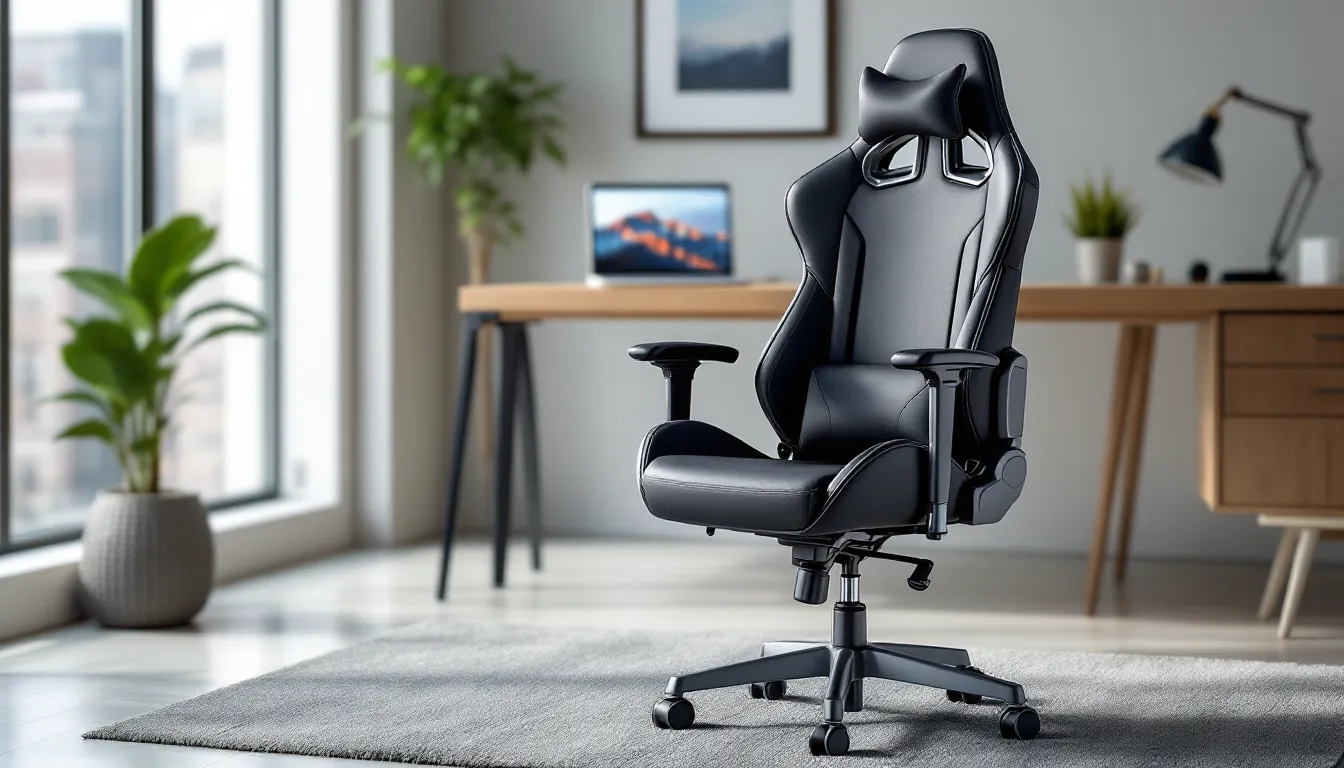
Finding the best gaming chair under $200 isn’t about compromising on comfort, it’s about knowing which features actually matter for your setup. The budget gaming chair market has exploded in 2026, with manufacturers finally understanding that most gamers don’t need RGB lighting or fake leather that peels after six months. They need solid lumbar support, adjustable armrests, and a seat that doesn’t feel like plywood after a ranked grind.
The sweet spot for quality and price has shifted. Where $200 used to get you a basic racing-style chair with minimal adjustments, today’s best gaming chairs under 200 dollars offer 3D armrests, breathable mesh options, and weight capacities that accommodate a wider range of body types. This guide cuts through the marketing nonsense and breaks down exactly what separates a solid budget chair from the ones that’ll have you back on Amazon filing a return within a week.
Key Takeaways
- The best gaming chair under $200 prioritizes adjustable lumbar support, 2D+ armrests, and proper seat dimensions over aesthetic features like RGB lighting or racing stripes.
- Gas lift class 4 certification and steel frame construction are non-negotiable quality indicators for budget gaming chairs, ensuring safety and durability.
- Material choice significantly impacts longevity: mesh lasts 3–5 years, fabric 2–3 years, and PU leather 12–24 months, though mesh requires more cleaning maintenance.
- Match chair dimensions to your body type—seat width of 20–21 inches for average builds, backrest height of 32–34 inches for users 5’10″–6’4″, and seat depth based on leg length—to maximize comfort during long sessions.
- Proper maintenance including monthly cleaning, armrest tightening, and lubricating pivot points can extend a budget gaming chair’s lifespan from 18 months to 3+ years, making repairs under 30% of the original price worthwhile.
What Makes a Gaming Chair Worth Buying in 2026?
The gaming chair market has matured past the point where slapping racing stripes on an office chair counts as innovation. In 2026, even budget models need to deliver on core ergonomic promises, or they’re not worth the floor space.
Key Features to Look for in Budget Gaming Chairs
The non-negotiables haven’t changed, but the baseline quality has improved significantly. Gas lift class 4 certification ensures your seat won’t randomly drop mid-game, this was a lottery in budget chairs three years ago, but it’s now standard in anything worth buying. Steel frame construction beats out plastic-reinforced frames every time: check the weight capacity as a proxy for build quality.
Lumbar support comes in two flavors: built-in or pillow-based. Built-in adjustable lumbar (the kind that moves up and down via a dial or lever) is objectively better but rare under $200. Most budget chairs include a removable lumbar pillow, which works fine if it’s thick enough and stays in place. If the pillow is floppy or slides around, it’s useless.
Armrest adjustability separates the good from the great. At minimum, look for 2D adjustment (height and pivot). 3D adds width adjustment, which matters more than you’d think for shoulder comfort during long sessions. 4D armrests (adding forward/back movement) occasionally appear under $200 now, grab them if you see them.
Recline range should hit at least 135 degrees. Anything less and you’re locked into an upright position that defeats the point of having a gaming chair instead of a standard office chair. Bonus points for a tilt-lock mechanism that lets you lock the recline at multiple angles, not just fully upright or fully reclined.
Ergonomics vs. Price: Finding the Sweet Spot
Here’s the truth: ergonomics at the sub-$200 price point means prioritizing what your body actually needs over what looks cool in a setup photo. Racing-style bucket seats look aggressive but often sacrifice seat width and depth. If you’re over 5’10” or prefer cross-legged sitting, that narrow race seat will feel restrictive within an hour.
Seat foam density matters more than material type. High-density foam (measured in kg/m³, typically 50+) maintains shape and support over time. Low-density foam feels plush initially but compresses into a pancake after a few months. Budget chairs rarely list foam density specs, so rely on user reviews mentioning “firm but comfortable” or complaints about bottoming out.
The ergonomic sweet spot in 2026 is a chair that offers adjustable lumbar support (even if pillow-based), at least 2D armrests, and a seat pan that doesn’t force your knees above your hips. Everything else, headrest pillows, rocking functions, massage features, is secondary. Focus on the skeleton of the chair, not the accessories.
Top 7 Gaming Chairs Under $200 Reviewed
These picks reflect current availability and real-world performance in 2026. Prices fluctuate, but all seven regularly hit or stay under the $200 mark.
Best Overall: Premium Comfort Without Very costly
The Secretlab TITAN Evo Lite (when on sale) and aftermarket alternatives like the GTRACING Pro Series dominate this category. The GTRACING Pro offers a steel frame, class 4 gas lift, and 3D armrests at $189. Seat width runs 21 inches, accommodating most body types comfortably. The lumbar pillow is memory foam and actually stays put thanks to dual elastic straps.
Recline hits 170 degrees with a solid tilt-lock mechanism. PU leather holds up better than earlier GTRACING models, expect 18-24 months before visible wear on high-contact areas. Assembly takes about 25 minutes with clear instructions. Weight capacity: 330 lbs.
The only downside is breathability. PU leather traps heat, so this isn’t ideal for non-air-conditioned setups in warm climates.
Best Ergonomic Design: Superior Lumbar Support on a Budget
The HON Ignition 2.0 Mesh Task Chair (frequently drops to $199) flips the script on what a gaming chair should look like. No racing aesthetics here, just a mesh-back office chair with gaming-grade durability. Built-in lumbar adjustment (height and depth) is the star feature, letting you dial in lower back support precisely.
Mesh backrest breathes exceptionally well. Armrests are height-adjustable only (1D), which is the main compromise. Seat depth adjustment is a rare find at this price and accommodates different leg lengths. Recline is limited to 120 degrees, so this isn’t a lean-back-and-watch-cutscenes chair.
Weight capacity: 300 lbs. Build quality exceeds typical budget gaming chairs because it’s designed for 8-hour office use. Expect 3-4 years of daily use without significant degradation.
Best for Big and Tall Gamers: Heavy-Duty Construction Under $200
The Blue Whale Gaming Chair and Dowinx Big and Tall Series both offer 400+ lb weight capacities and wider seat bases (22-23 inches). The Dowinx edges ahead at $199 with thicker seat foam and reinforced armrests that don’t wobble under pressure.
Backrest height is 34 inches, taller users finally get head support without their shoulders hitting the midpoint. Armrests are 2D (height and pivot). Recline reaches 155 degrees. The lumbar pillow is oversized to match the chair’s proportions.
Assembly difficulty is higher due to heavier components. Budget 40-45 minutes and a second person for easier alignment. PU leather with extra stitching along stress points. This chair feels overbuilt in the best way.
Best Racing-Style Chair: Classic Gamer Aesthetics
The Respawn 110 Racing Style Chair nails the aggressive look without the usual budget-chair jank. Available in multiple colorways (black/red, black/blue, black/white), it fits the classic streamer setup aesthetic. Seat width is 20 inches, adequate for average builds but snug for larger frames.
3D armrests, 155-degree recline, and a footrest extension (fold-out) that’s actually comfortable for breaks between matches. The footrest isn’t sturdy enough for constant use, but it works for 15-20 minute cooldowns.
PU leather quality sits in the middle of the pack. Expect peeling around 18 months with heavy use. Weight capacity: 275 lbs. Assembly is straightforward, around 20 minutes.
Best for Long Sessions: Maximum Comfort for Marathon Gaming
The Corsair TC60 Fabric (at $199 during sales) and AutoFull Gaming Chair AF083 prioritize seat comfort above all. The AutoFull uses cold-cure foam that maintains density better than standard foam, and many pro player settings prioritize similar comfort features for extended practice sessions.
Seat cushion is 4 inches thick, noticeably plusher than competitors. Fabric upholstery (not mesh) breathes better than PU leather but not as well as full mesh. Armrests are 3D. Recline hits 180 degrees, making it viable for quick naps between scrims.
Lumbar and neck pillows are gel-infused memory foam. They’re bulkier than standard pillows, which some users love and others find intrusive. Adjust or remove based on preference. Weight capacity: 300 lbs.
Best Mesh Option: Breathable Design for Hot Climates
The Duramont Ergonomic Office Chair (mesh variant) stays consistently under $180 and solves the sweat-back problem. Full mesh back and seat pan provide maximum airflow. Built-in lumbar support adjusts via tension knob, not as precise as the HON Ignition but functional.
Armrests are 2D. Recline is limited (125 degrees), so this is a productivity-first, lean-back-second chair. The mesh is taut, not hammock-style, so it provides actual support rather than just sagging under weight.
Weight capacity: 330 lbs. The mesh shows no sagging after 12+ months of use based on long-term owner reports. Best for year-round comfort in non-climate-controlled spaces.
Best Value Pick: Quality Features at the Lowest Price
The OFM Essentials Racing Chair regularly sells for $130-$150, leaving budget for a footrest or cushion upgrades. It’s bare-bones but competent. Steel frame, class 4 gas lift, 2D armrests, and 135-degree recline cover the essentials.
Seat width: 19.5 inches. Foam is medium-density, not plush, but won’t bottom out immediately. PU leather is the weakest point: expect wear within 12 months. Lumbar pillow is thin but replaceable with aftermarket options.
Weight capacity: 250 lbs. Assembly takes 15-20 minutes. This chair won’t wow anyone, but it delivers functional ergonomics at the lowest barrier to entry. Ideal for first-time buyers testing whether a dedicated gaming chair matters for their setup.
Gaming Chair Materials: PU Leather vs. Fabric vs. Mesh
Material choice directly impacts comfort, durability, and maintenance. Each has clear pros and cons at the budget level.
PU Leather dominates budget gaming chairs because it’s cheap to produce and looks premium in product photos. It wipes clean easily, spill a drink, grab a damp cloth, done. The downside is heat retention and durability. PU leather doesn’t breathe, so expect a sweaty back during summer sessions. Peeling and cracking start around 12-18 months with daily use, especially along armrests and seat edges where friction is constant.
Fabric upholstery (usually polyester blends) breathes better than PU leather but not as well as mesh. It’s softer to the touch and doesn’t stick to bare skin. Stains are harder to remove, liquid spills need immediate attention or they set permanently. Fabric holds up longer than PU leather before showing wear, typically 24-30 months. It’s the middle-ground option for users who want some breathability without committing to full mesh.
Mesh maximizes airflow and is the go-to for hot climates or users who run warm. Quality varies wildly. Cheap mesh sags and loses tension within months. Mid-tier mesh (found in the Duramont and HON options) stays taut and supportive for years. Mesh is harder to clean, dust and debris get trapped in the weave, requiring vacuum attachments or compressed air. Many gaming hardware reviews, like those found on TechRadar, emphasize breathability as a key factor in long-term comfort.
Which Material Lasts Longest?
Mesh wins on longevity if it’s quality mesh. High-tension mesh maintains shape and support for 3-5 years. Fabric comes second at 2-3 years before visible pilling or fading. PU leather trails at 12-24 months before cosmetic degradation.
That said, PU leather’s deterioration is mostly cosmetic. A chair with peeling armrests still functions fine, it just looks rough. Mesh failure (sagging) affects actual support and comfort, making the chair less usable.
Comfort and Breathability Compared
For breathability, mesh > fabric > PU leather. No contest.
For immediate tactile comfort, fabric > PU leather > mesh. Fabric feels cozy, PU leather feels neutral (or sticky when warm), and mesh feels utilitarian.
For long-session comfort (4+ hours), mesh > fabric > PU leather due to temperature regulation. Sitting in PU leather for a full day feels like being shrink-wrapped by hour three.
Essential Adjustability Features and Why They Matter
Adjustability separates a chair that fits your body from one that forces you to adapt. Budget constraints mean prioritizing which adjustments matter most.
Armrest Adjustments: 1D, 2D, 3D, and 4D Explained
1D armrests adjust height only. This is the bare minimum, if your chair doesn’t have at least 1D armrests, skip it. Height adjustment lets you align armrests with your desk height, preventing shoulder hunching.
2D armrests add pivot (angled inward or outward). This reduces elbow flare and keeps arms closer to your body during mouse/keyboard use. The comfort difference between 1D and 2D is significant.
3D armrests include width adjustment (side-to-side movement). Narrow or widen the armrest stance to match shoulder width. This is especially valuable for broader or narrower frames that don’t fit the “average” spacing.
4D armrests add forward/back depth adjustment. You can position armrests to support forearms during typing or push them back during controller gaming. It’s a luxury feature that occasionally appears under $200, grab it if available, but don’t dismiss a chair for lacking it.
Recline Range and Tilt Mechanisms
Recline range dictates how far back the chair leans. 90-120 degrees is pure work mode. 135 degrees is the minimum for comfortable gaming, it takes pressure off the lumbar spine. 155-170 degrees lets you lean back during cutscenes or between matches. 180 degrees is full nap mode.
Tilt-lock mechanisms let you lock the recline at specific angles. Cheap chairs only lock at upright (90 degrees) and full recline, which is frustrating. Mid-tier budget chairs offer infinite lock positions within the recline range. Test this before buying if possible, some locks are stiff and awkward to engage.
Tilt tension adjustment (a knob under the seat) controls how much resistance the chair offers when leaning back. Lighter users need less tension: heavier users need more. Not all budget chairs include this, but it’s a nice-to-have.
Height Adjustment and Weight Capacity
Pneumatic height adjustment is universal now. The key spec is height range. Chairs typically offer 17-21 inches of seat height from the floor. Shorter users (under 5’5″) need chairs that drop to 17-18 inches so feet rest flat. Taller users (over 6’2″) need maximum height to prevent knee angles above 90 degrees.
Weight capacity isn’t just about holding your weight, it’s a proxy for overall build quality. A chair rated for 250 lbs uses lighter-gauge steel and thinner foam than one rated for 350 lbs. If you’re under the listed capacity, great. If you’re near or above it, expect accelerated wear and potential structural failure within a year.
How to Choose the Right Gaming Chair for Your Body Type
Gaming chairs aren’t one-size-fits-all, and the under-$200 market has fewer size options than premium tiers. Matching chair dimensions to your body prevents discomfort and premature wear.
Seat Width and Depth Considerations
Seat width determines whether you sit in the chair or on it. Racing-style bucket seats range from 19-21 inches wide. If your hips measure more than 18 inches across, aim for at least 20-inch seat width or skip racing chairs entirely for a flat office-style seat.
Seat width also affects sitting posture variety. Cross-legged sitting requires at least 21 inches. One-leg-tucked sitting needs 20+. If you shift positions frequently during long sessions, prioritize width.
Seat depth (front to back) matters for leg support. Too shallow, and your thighs lack support. Too deep, and the seat pan digs into the back of your knees. Ideal depth depends on leg length. Users under 5’7″ should look for 18-19 inch depth. Users 5’8″-6’2″ work well with 19-20 inches. Taller users need 20+ inches or adjustable seat depth (rare under $200).
Test this by sitting: the seat pan should support 80% of your thigh length, leaving 2-3 inches between the seat edge and the back of your knees.
Backrest Height for Different Heights
Backrest height determines head and shoulder support. Budget chairs range from 28-34 inches tall.
- 28-30 inches: Fits users 5’0″-5’8″. Provides full back and neck support.
- 30-32 inches: Fits users 5’6″-6’0″. The most common size range.
- 32-34 inches: Fits users 5’10”-6’4″. Head support without shoulders hitting mid-back.
If you’re outside these ranges, you’ll compromise. Shorter users in tall chairs end up with the headrest pillow hitting their shoulder blades, just remove it. Taller users in short chairs lose head support, add an aftermarket headrest or accept that the chair tops out at shoulder level.
Lumbar support position also shifts with height. Shorter users need lumbar pillows placed lower on the backrest. Taller users need them higher. Adjustable lumbar (built-in) solves this: pillow-based lumbar requires manual repositioning and re-securing.
Budget Gaming Chairs vs. Premium Models: What You’re Actually Missing
The gap between best gaming chairs under 200 and $500+ models has narrowed, but key differences remain. Understanding what you’re sacrificing helps set realistic expectations.
Material quality is the most obvious divide. Premium chairs use cold-cure foam that maintains density for 5+ years, genuine leather or high-grade fabric, and aluminum components. Budget chairs use standard foam (2-3 year lifespan), PU leather or basic polyester, and steel with plastic accents. The premium chair will look and feel new longer, but the budget chair delivers 70% of the comfort for 40% of the price in its first two years.
Adjustability range expands significantly in premium tiers. Budget chairs offer 2D or 3D armrests: premium chairs standard-issue 4D armrests with more granular adjustments. Premium lumbar support is often powered (electronic adjustment) or uses advanced mechanisms. Premium recline often includes infinite lock positions and finer tilt tension control. Detailed comparisons of gaming hardware, including chairs, can be found in resources like Tom’s Guide, which frequently tests products across price ranges.
Warranty length reflects confidence in durability. Budget chairs offer 1-2 year warranties, often excluding wear items like armrest pads or upholstery. Premium chairs offer 3-5 year warranties covering more components. This isn’t just marketing, premium manufacturers use better quality control and expect fewer failures.
Aesthetics and customization skew heavily premium. Budget chairs come in 3-5 colorways max. Premium chairs offer a dozen+ colors, custom embroidery, and modular accessories. If your setup needs a specific look, budget options limit choices.
What you’re not missing at the budget level: basic ergonomic function. A $180 chair with good lumbar support, adjustable armrests, and proper recline supports your spine as well as a $600 chair for the first 18-24 months. The premium chair’s advantage is longevity and refinement, not fundamentally better ergonomics out of the box.
Common Pitfalls to Avoid When Buying Under $200
Budget chair shopping is full of traps. Knowing what to watch for prevents buyer’s remorse.
Red Flags in Product Descriptions and Reviews
Vague weight capacity claims like “supports most users” without specific numbers signal weak construction. Legit chairs list exact weight limits.
No mention of gas lift class. If the product page doesn’t specify class 3 or class 4 certification, assume it’s unrated and potentially unsafe. Class 4 is standard for quality: class 3 is acceptable.
Only 5-star reviews or weirdly phrased reviews. Incentivized or fake reviews plague budget gaming chairs. Look for verified purchase badges and reviews mentioning specific use cases (“used daily for three months,” “assembled in 30 minutes”).
Stock photos only, no dimension charts. Brands confident in their product provide exact measurements: seat width, depth, backrest height, armrest range. Missing specs mean they’re hiding something or dropshipping a generic model.
“Ergonomic” used without explaining features. Ergonomic means adjustable lumbar, proper seat depth, and adjustable components. If a chair just has a pillow and calls itself ergonomic, it’s marketing fluff.
Assembly Issues and Quality Control Problems
Budget chairs ship flat-pack, and QC can be inconsistent. Common issues:
Misaligned screw holes. Not uncommon in the $100-150 range. Some holes require force-threading or slight angling. Keep a power drill with a screwdriver bit handy, hand-tightening everything takes 2x as long and causes hand fatigue.
Missing hardware. Usually just an extra washer or a single bolt, but occasionally a critical part. Reputable brands ship replacement hardware quickly. Sketchy brands ghost you. Check the box thoroughly before starting assembly.
Wobbly base. Usually caused by uneven floors, not the chair. Most budget chairs include leveling feet or wheels that adjust slightly. If the wobble persists on a flat surface, it’s a defect, return it.
Difficult armrest installation. Armrests often require precise alignment before screws catch. Have a second person hold the armrest in place while you start the screws. Forcing it causes cross-threading.
Chemical smell. New PU leather and foam off-gas. Air the chair out in a ventilated space for 24-48 hours before use. If the smell persists beyond a week, it’s excessive and worth contacting the seller.
Maximizing the Lifespan of Your Budget Gaming Chair
Proper care extends a budget chair’s usable life from 18 months to 3+ years. Small maintenance habits pay off.
Maintenance Tips and Cleaning Best Practices
PU leather: Wipe down weekly with a damp microfiber cloth. Avoid harsh cleaners, they accelerate cracking. Apply a leather conditioner (yes, even on fake leather) every 3-4 months to keep it supple. Focus on high-contact areas: armrests, seat edges, backrest sides.
Fabric: Vacuum monthly using an upholstery attachment to pull out dust and debris. Spot-clean spills immediately with mild detergent and water. Blot, don’t scrub, to avoid pilling. Some fabric chairs have removable covers, wash them according to tag instructions, usually cold water and air dry.
Mesh: Vacuum or use compressed air bi-weekly to clear dust from the weave. For deeper cleaning, wipe with a damp cloth and mild soap, then air dry completely before use. Mesh holds moisture, which can lead to mildew in humid environments.
Armrests: Tighten screws every few months. Daily use loosens armrest bolts, causing wobble. A quick 30-second check with an Allen key prevents bigger issues.
Gas lift and casters: Lubricate the gas lift piston annually with silicone spray to maintain smooth height adjustment. Clean caster wheels monthly, hair and debris wrap around the axles, reducing roll smoothness and damaging floors. Pop the wheels off, cut away tangled material, and snap them back on.
Recline mechanism: If the recline becomes stiff or squeaky, apply a drop of WD-40 or similar lubricant to the pivot points. Wipe away excess to avoid drips on clothing.
When to Replace Parts vs. Buying a New Chair
Armrest pads wear out first, usually within 12-18 months. Replacement pads cost $10-20 and install in minutes. Worth replacing if the rest of the chair is solid.
Lumbar and headrest pillows flatten or lose shape around 18 months. Aftermarket memory foam pillows ($15-30) often outperform the originals. Easy upgrade.
Gas lift failure (seat won’t hold height or drops randomly) is a safety issue. Replacement gas lifts cost $30-50 and require some mechanical aptitude to swap. If the chair is over 2 years old, consider putting that money toward a new chair instead.
Casters wear unevenly, especially on carpet. Replacement sets (usually rollerblade-style for smoother movement) cost $20-35. Worthwhile if the chair frame is still solid.
Frame cracks or breaks: Not repairable. If the steel frame or plastic components crack, the chair is done. This usually happens after 2-3 years with heavy use or if weight capacity was exceeded.
The cost-benefit threshold: if repairs exceed 40% of the chair’s original price, replace the chair. If repairs are under 30% and the chair is less than 2 years old, fix it.
Conclusion
The best gaming chair under 200 dollars in 2026 delivers legitimate ergonomic support without the premium price tag, but only if you know which features to prioritize. Adjustable lumbar, at least 2D armrests, solid recline range, and a seat that matches your body type matter infinitely more than RGB accents or branding.
Budget chairs won’t last as long as $500 models, but with proper maintenance, a quality pick in the $180-200 range provides 2-3 years of comfortable use. That’s enough time to decide whether a gaming chair genuinely improves your setup or if you’re better served by a standard ergonomic office chair.
Match the chair to your body, verify build quality through specs and reviews, and skip the gimmicks. Your back will thank you, and your wallet stays intact for the hardware that actually affects your gameplay.