
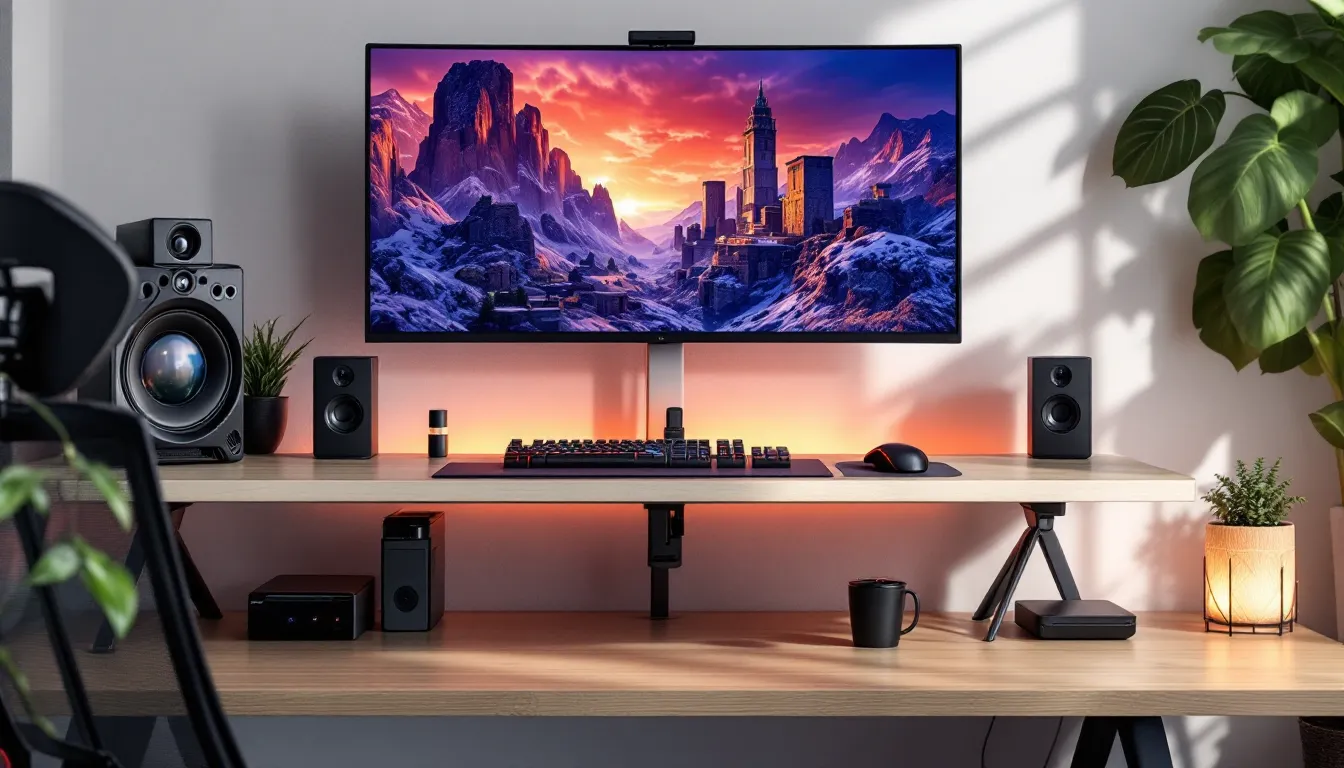
Your GPU can pump out 300 FPS, your CPU can handle anything you throw at it, but if you’re still using that membrane keyboard from 2015 and a $10 mouse, you’re handicapping yourself. The gap between a decent gaming rig and a truly optimized setup isn’t just about the tower, it’s about everything around it. PC gaming accessories aren’t just cosmetic upgrades or nice-to-haves. They’re the interface between your reactions and what happens on screen, the difference between a 12-hour session that leaves you wrecked and one where you’re still sharp in the final round.
Whether you’re a casual player looking to enhance comfort or a competitive grinder chasing every millisecond advantage, the right gaming accessories pc setup transforms how you play. This guide breaks down the must have gaming accessories that actually matter in 2026, from the essentials that every gamer needs to the performance-boosting gear that separates good setups from elite ones. No fluff, no marketing nonsense, just what works, why it works, and how to choose what fits your gaming style.
Key Takeaways
- The right PC gaming accessories directly impact performance—a mouse with 8000 Hz polling can provide a 0.875ms response advantage that compounds in competitive play where milliseconds matter.
- Essential PC gaming accessories include a quality gaming mouse with optical sensors, mechanical keyboard with tactile or linear switches, a comfortable headset with spatial audio, and an extended mousepad for proper arm movement.
- Gaming monitors play a critical role in competitive advantage—a 360 Hz display shows frames 4.1ms faster than a 60 Hz monitor, enough to detect enemy peeks before slower displays register movement.
- Ergonomic setup prevents injury and sustains performance during extended sessions: proper chair lumbar support, 90° elbow angles, and wrist rests reduce strain that can impact competitive gamers logging 4+ hours daily.
- Future PC gaming accessories trends include magnetic Hall Effect switches for adjustable actuation, AI-powered noise cancellation in headsets, and wireless charging ecosystems that eliminate battery management during gameplay.
- Choose gaming accessories based on your specific genre and playstyle rather than chasing premium features—casual gamers prioritize comfort and versatility while competitive esports players optimize every accessory for millisecond advantages.
Why PC Gaming Accessories Matter More Than You Think
The performance ceiling of your gaming PC means nothing if you can’t translate intent into action. Input lag from a cheap mouse, mushy key presses that don’t register in time, audio cues you can’t hear, these aren’t minor inconveniences. They’re mechanical failures that cost rounds, matches, and rank.
Consider the competitive FPS player. A mouse with 8000 Hz polling rate versus 1000 Hz represents a 0.875ms difference in response time. In games where TTK sits around 200-300ms, that fraction compounds with every micro-adjustment. Membrane keyboards ghost inputs under rapid keypresses, making counter-strafing inconsistent. A headset without proper spatial audio means you’re guessing where footsteps come from instead of knowing.
But it’s not all about competitive edge. Comfort dictates endurance. An ergonomic setup lets you play longer without fatigue, maintain better posture, and avoid repetitive strain injuries that plague gamers who spend 4+ hours daily at their desk. The best gaming accessories balance performance and sustainability, gear that makes you better without breaking your body.
There’s also the practical angle: organization and workflow. Cable management isn’t sexy, but a clean desk with proper routing means fewer accidental disconnects, better airflow, and a workspace that doesn’t tilt you before the match even starts. RGB might seem purely aesthetic, but proper lighting reduces eye strain in dark rooms and creates visual separation between work mode and game mode.
The gaming accessories list that matters in 2026 has evolved beyond basic peripherals. It’s an ecosystem where every piece supports the others, creating a setup that’s greater than the sum of its parts.
Essential PC Gaming Accessories Every Gamer Needs
Gaming Mice: Precision and Performance
Gaming mice are the most critical peripheral for PC gamers, period. The sensor makes or breaks everything. In 2026, the standard is optical sensors with 20,000+ DPI (though most players use 400-1600 DPI with proper sensitivity scaling). What actually matters: sensor accuracy, polling rate, weight distribution, and button placement.
Wired mice still dominate competitive play even though wireless tech closing the gap. The latest wireless models from major manufacturers hit 8000 Hz polling with sub-1ms latency, making them viable even for pro-level FPS. Weight preference varies wildly, some players want sub-60g ultra-lights for flick shots, others prefer 80-100g for controlled tracking.
Shape is non-negotiable and deeply personal. Ergonomic designs favor palm grip, ambidextrous mice work for claw and fingertip grips. Side buttons should be positioned where your thumb naturally rests, not where you have to stretch. Premium mice feature adjustable weight systems, swappable switches (optical vs. mechanical), and onboard memory for DPI profiles.
Key specs to prioritize:
- Sensor: Pixart 3395 or equivalent
- Polling rate: 1000 Hz minimum, 8000 Hz for competitive
- Buttons: Programmable side buttons for MOBAs/MMOs
- Cable: Paracord or true wireless with low-latency dongle
- Feet: PTFE skates for smooth glide
Gaming Keyboards: Mechanical vs. Membrane
Gaming keyboards separate into two camps: mechanical and membrane. Membrane keyboards use rubber domes under keys, cheaper, quieter, but mushy and prone to ghosting. Mechanical keyboards use individual switches per key, offering better tactile feedback, faster actuation, and N-key rollover (every keypress registers even during complex inputs).
Switch types define feel:
- Linear (Red, Silver): Smooth keystroke, no tactile bump. Favored for FPS games where speed matters.
- Tactile (Brown, Clear): Noticeable bump at actuation. Balanced for gaming and typing.
- Clicky (Blue, Green): Audible click and tactile bump. Great for typing, annoying for anyone nearby.
Actuation point matters for competitive play. Standard switches actuate at 2mm, speed switches at 1.2mm. Magnetic switches (Hall Effect) in 2026 offer adjustable actuation points from 0.1mm to 4mm, letting you tune response per-game or even per-key.
Form factor impacts desk space:
- Full-size (100%): Numpad included, bulky
- Tenkeyless (TKL): No numpad, more mouse room
- 75%/65%: Compact, arrow keys retained
- 60%: Ultra-compact, function layer required
Hot-swappable PCBs let you change switches without soldering. Programmable keys via QMK or manufacturer software enable macros for MMOs or productivity shortcuts.
Gaming Headsets: Immersive Audio and Communication
Gaming headsets serve dual purposes: spatial audio for competitive advantage and clear comms for team coordination. The 2026 standard splits between closed-back (noise isolation, bass emphasis) and open-back (wider soundstage, more natural audio).
Driver size (40mm vs. 50mm) matters less than driver quality. What you’re listening for: directional accuracy in FPS games, clear voice chat without bleed, and comfort during multi-hour sessions. Reviews from independent testing labs provide objective measurements of frequency response and microphone quality that marketing specs won’t tell you.
Wireless has matured significantly. 2.4 GHz dongles offer 15-20ms latency (imperceptible for most), while Bluetooth still lags at 100-200ms (fine for single-player, death sentence in competitive). Battery life hits 20-30 hours on premium models.
Spatial audio tech:
- Stereo: Basic left/right separation
- Virtual surround (7.1): Software processing, hit-or-miss accuracy
- Binaural audio: Game engine support (Valorant, CS2) provides superior positional cues
- Planar magnetic drivers: Emerging in high-end models, faster transient response
Microphone quality ranges from acceptable to broadcast-grade. Detachable boom mics with pop filters and noise cancellation work for most team games. If you’re streaming, invest in a dedicated XLR mic instead.
Mousepads and Desk Mats: The Foundation of Control
Mousepad surface determines tracking consistency and glide speed. Two categories:
Speed pads (hard surfaces, slick cloth): Low friction, fast cursor movement. Favored by high-sens players and fast-paced FPS games. Durability is excellent, but less forgiving for tracking adjustments.
Control pads (textured cloth, rubber base): More friction, precise micro-adjustments. Preferred by low-sens aimers who need stopping power. Wear out faster, require washing every few months.
Size matters. Competitive players use 900mm x 400mm extended mats minimum, allowing full arm movement without running out of space mid-swipe. Desk mats double as surface protection and aesthetic cohesion.
Thickness affects comfort: 3-4mm provides cushioning without impacting desk height. Stitched edges prevent fraying. Non-slip rubber bases keep the pad from shifting during intense flicks.
Performance-Enhancing Accessories for Competitive Play
High-Refresh-Rate Monitors
Your monitor is the bottleneck you don’t see. A 144 Hz display shows frames every 6.9ms: a 360 Hz monitor every 2.8ms. That’s a 4.1ms advantage in visual information, enough to see an enemy peek before a 60 Hz player registers movement.
Panel technology:
- TN (Twisted Nematic): 0.5-1ms response time, washed-out colors, narrow viewing angles. Pure performance.
- IPS (In-Plane Switching): 1-4ms response time, accurate colors, better viewing angles. Balanced choice.
- VA (Vertical Alignment): 4-8ms response time, high contrast, slow pixel transitions (ghosting). Avoid for competitive.
- OLED: <0.1ms response time, perfect blacks, burn-in risk. Premium tier in 2026.
Refresh rate tiers:
- 144 Hz: Entry standard, massive upgrade from 60 Hz
- 240 Hz: Competitive sweet spot, diminishing returns beyond this
- 360 Hz: Esports-level, requires GPU to consistently push 360+ FPS
- 480 Hz: Bleeding edge in 2026, minimal perceivable gain over 360 Hz
Adaptive sync (G-Sync, FreeSync) eliminates screen tearing when FPS drops below refresh rate. VRR (Variable Refresh Rate) support matters for consistency across different games.
Resolution impacts performance:
- 1080p: Highest FPS, competitive standard
- 1440p: Clarity upgrade, requires stronger GPU
- 4K: Visual fidelity, impractical for competitive (lower FPS)
Gaming Controllers and Fight Sticks
Gaming controllers bridge the gap between PC and console experiences. Xbox controllers maintain the edge for Windows compatibility (plug-and-play, xinput support), while DualSense controllers offer superior haptics and adaptive triggers for supported games.
Competitive controller features:
- Back paddles: Remappable buttons for actions without moving thumbs
- Adjustable tension sticks: Customize resistance for precision or speed
- Trigger stops: Reduce travel distance for faster inputs
- Swappable stick caps: Different heights for camera vs. movement sticks
Fight sticks are non-negotiable for serious fighting game players. Arcade-style inputs provide precision impossible with thumbsticks. Sanwa and Hori parts set the standard, 8-directional gates, 30mm buttons with 45g actuation force.
Hitbox controllers (all-button layouts) are gaining traction in tournaments, offering frame-perfect inputs by eliminating stick throw distance. Check tournament rules before investing, some events restrict them.
Webcams and Streaming Equipment
Webcams matter for streamers, content creators, and anyone in Discord video calls. The 2026 standard is 1080p60 minimum, with 4K30 becoming affordable. Features that separate good from great:
- Autofocus speed: Stays sharp when you lean in/out
- Low-light performance: Maintains clarity without dedicated lighting
- Field of view: 78° standard, 90° for showing more background
- Compression: H.264 encoding offloads CPU/GPU burden
Ring lights (adjustable color temperature 3000-6000K) provide even facial lighting. Boom arms position the webcam at eye level instead of the awkward upward laptop angle. Green screens enable background replacement, though AI background blur has improved enough to skip the hassle for most.
Capture cards (internal PCIe or external USB) let you stream console gameplay to PC or offload encoding to a secondary system. 4K60 HDR passthrough is standard on current-gen cards.
Comfort and Ergonomics: Accessories for Extended Sessions
Gaming Chairs and Ergonomic Seating
Gaming chairs get roasted online, but the criticism is aimed at overpriced racing-style buckets with thin padding. Proper ergonomic seating, whether branded as “gaming” or office chairs, supports your spine during marathon sessions.
Essential features:
- Lumbar support: Adjustable pillow or built-in curve that supports lower back
- Adjustable armrests: 4D adjustments (height, forward/back, angle, rotation)
- Seat depth adjustment: Accommodates different leg lengths
- Recline with tension control: Leans back without tipping over
- Breathable material: Mesh or fabric over leather (less sweat buildup)
The sweet spot is office task chairs from reputable ergonomic brands. They lack RGB and racing stripes but provide superior long-term comfort. Weight capacity matters, budget chairs fail at 200-250 lbs, quality ones support 300+ lbs.
Desk height correlates with chair height. Standard desk (29-30 inches) requires chair that adjusts so elbows form 90° angles when arms rest on desk. Monitor should sit at eye level or slightly below to prevent neck strain.
Wrist Rests and Ergonomic Supports
Wrist rests cushion contact points, reducing pressure on nerves and tendons. Keyboard wrist rests should match keyboard height, mechanical keyboards sit taller than membrane, requiring thicker rests. Materials range from memory foam (comfortable, wears quickly) to gel (cooler, longer-lasting) to solid wood (firm, durable).
Mouse wrist rests are less common but valuable for low-sens players who rest their wrist while making large arm movements. Alternatively, adjust desk height so forearms remain parallel to the floor.
Vertical mice reduce pronation (palm-down position), theoretically reducing strain. Reality is mixed, they take weeks to adjust to and aren’t viable for gaming that requires precision.
Footrests improve posture if your chair doesn’t adjust low enough. Feet should rest flat, knees at 90°, thighs parallel to floor.
Blue Light Glasses and Eye Protection
Blue light glasses filter 400-450nm wavelengths that suppress melatonin production. Evidence on effectiveness is debated, but subjective reports of reduced eye strain are common among gamers who wear them during evening sessions.
Alternatives:
- Monitor blue light filters: Built into most 2026 displays, reduces blue wavelengths in hardware
- Software filters (f.lux, Windows Night Light): Shifts color temperature warmer after sunset
- OLED displays: Lower blue light emission than LED backlights
The 20-20-20 rule remains the best defense: every 20 minutes, look at something 20 feet away for 20 seconds. Blink deliberately to prevent dry eyes.
Ambient lighting matters more than most realize. Gaming in complete darkness forces pupils to dilate, then constrict sharply when looking at bright UI elements. Bias lighting (LED strip behind monitor) reduces eye strain by narrowing the brightness differential between screen and surroundings.
Setup Organization and Cable Management Solutions
Monitor Stands and Mounts
Monitor arms free up desk space and enable ergonomic positioning impossible with stock stands. VESA mount compatibility (75mm or 100mm) is standard on most gaming monitors. Gas-spring arms allow effortless height/angle adjustment, while fixed mounts are cheaper but permanent.
Dual and triple monitor setups require sturdy poles or desk clamps rated for combined weight. Consider:
- Weight capacity per arm: 15-20 lbs handles most 27-32 inch monitors
- Reach and rotation: Full 180° swivel for switching between landscape/portrait
- Cable management channels: Built-in routing keeps cables hidden
Desk clamps work on desks up to 3 inches thick. Grommet mounts drill through desk for permanent installation, cleaner look, no desk edge interference.
Monitor risers (non-adjustable stands) are budget alternatives that lift screens to eye level while creating storage space underneath for keyboards or consoles.
Cable Management Systems
Cable spaghetti kills aesthetics and creates practical problems, snagging mouse cables mid-flick, accidental unplugs, poor airflow. Solutions range from simple to elaborate:
Under-desk cable trays: Wire baskets or channels that mount beneath desk surface, hiding power strips and excess cable length. Velcro straps bundle cables together.
Cable sleeves: Neoprene or braided wraps that consolidate multiple cables into single run. Good for visible cables like monitor to PC.
Routing clips: Adhesive guides that direct cables along desk edges or legs. Prevents drooping and tangling.
Wireless peripherals: Eliminates cables entirely for mouse/keyboard/headset. Requires managing battery charging instead.
Power management: Use surge-protected power strips with mounting brackets. Route power cables separately from data cables to minimize electromagnetic interference (minimal concern for shielded cables, but good practice).
RGB Lighting and Aesthetic Enhancements
RGB gets memed as the ultimate form over function upgrade, but controlled lighting serves practical purposes beyond looking cool. Bias lighting reduces eye strain, color-coded zones help identify key groups in low light, and synchronized effects provide visual feedback for in-game events (health warnings, ability cooldowns via integration with supported games).
LED strips line desk edges, monitor backs, or PC cases. Addressable RGB (ARGB) controls individual LEDs for complex patterns, while standard RGB changes entire strips uniformly. Smart strips sync with ecosystem software (iCUE, Aura Sync, Chroma) for unified effects across peripherals.
Color temperature impacts mood and visibility. Warm tones (2700-3000K) create relaxed atmosphere, cool tones (5000-6500K) increase alertness. Gamers typically run cooler temperatures during play, warmer during casual browsing.
Nanoleaf panels and smart bulbs extend lighting beyond desk area. The value proposition drops sharply outside enthusiast territory, spend budget on performance upgrades first, RGB last.
Reviews covering gaming computer accessories often spotlight new RGB innovations, but assess whether synchronized rainbow waves actually improve your experience or just drain your wallet.
How to Choose the Right Accessories for Your Gaming Style
Casual Gaming vs. Competitive Esports
Casual gamers prioritize comfort and versatility. A good all-rounder mouse (3000-5000 DPI adjustable, wireless, ergonomic shape), a quiet mechanical keyboard with tactile switches, and a comfortable headset with decent spatial audio covers most gaming needs. Budget flexibility lets you invest in quality-of-life features like RGB, wireless charging pads, and aesthetic matching.
Competitive esports players optimize for milliseconds. Every accessory choice serves performance: lightweight wired mouse with optical switches (zero debounce delay), linear switches on keyboards with 1.2mm actuation, high-refresh monitors with sub-1ms response times, and massive mousepads for low-sensitivity arm aiming. Comfort matters, but only when it doesn’t compromise speed.
The crossover: most gamers exist between these extremes. Prioritize the essentials (mouse, keyboard, headset, mousepad) as performance-oriented, then add comfort and aesthetic upgrades that don’t sacrifice responsiveness.
Genre-Specific Recommendations
Different game genres stress different gaming needs:
FPS (Valorant, CS2, Apex Legends):
- Lightweight mouse (sub-70g), optical sensor, high polling rate
- Linear switches or speed switches on keyboard
- Open-back headset for superior positional audio
- Large mousepad (low sens = big swipes)
- 240+ Hz monitor, 1080p resolution for max FPS
MOBA/RTS (League of Legends, Dota 2, StarCraft II):
- Multi-button mouse with side buttons for item hotkeys
- Mechanical keyboard with tactile feedback for ability combos
- Any decent headset (audio cues less critical than FPS)
- Standard mousepad
- 144 Hz monitor sufficient, 1440p for better map clarity
MMO (WoW, FFXIV, Lost Ark):
- MMO mouse with 12+ side buttons for skill bindings
- Full-size keyboard for numpad macros
- Comfortable headset for long raid sessions
- Ergonomic chair (6+ hour sessions common)
- 60 Hz acceptable, but 144 Hz improves fluidity
Fighting Games (Street Fighter 6, Tekken 8, Guilty Gear):
- Fight stick with Sanwa parts or hitbox controller
- Monitor with <3ms input lag (response time ≠ input lag)
- Wired peripherals (tournaments ban wireless)
- Headset optional (most play with game audio only)
Simulation/Strategy (Flight Sims, City Builders):
- Standard mouse (precision over speed)
- Full-size keyboard with programmable macros
- Multi-monitor setup for information displays
- HOTAS or racing wheel for specific sims
Budget Considerations and Value Picks
Best gaming accessories don’t always mean most expensive. Allocate budget where it impacts experience most:
Budget Tier ($300-500 total):
- Mouse: $40-60 (Logitech G305, Razer Viper Mini)
- Keyboard: $60-80 (Keychron, Royal Kludge)
- Headset: $50-80 (HyperX Cloud II, SteelSeries Arctis Nova 1)
- Mousepad: $15-25 (Extended desk mat)
- Remaining: Chair upgrade or monitor if possible
Mid-Tier ($800-1200 total):
- Mouse: $80-120 (Logitech G Pro X Superlight, Razer DeathAdder V3)
- Keyboard: $120-180 (Wooting, Keychron Q-series)
- Headset: $120-180 (SteelSeries Arctis Nova Pro, HyperX Cloud Alpha)
- Monitor: $250-400 (1080p 240 Hz or 1440p 165 Hz)
- Mousepad: $30-50 (Premium control pad)
- Chair: $200-300 (Entry ergonomic)
Enthusiast Tier ($2000+ total):
- Mouse: $150-200 (Finalmouse, custom wireless)
- Keyboard: $250-400 (Custom mechanical, Hall Effect switches)
- Headset: $250-400 (Audeze, Beyerdynamic)
- Monitor: $500-800 (1440p 360 Hz OLED or 4K 240 Hz)
- Chair: $500-1200 (Herman Miller, Steelcase)
- Accessories: Stream deck, premium webcam, full RGB ecosystem
Buy once, cry once applies to peripherals you interact with constantly. Detailed comparisons from sources like technology testing publications help identify where premium features justify cost versus diminishing returns.
Future Trends in PC Gaming Accessories for 2026 and Beyond
The cool gaming accessories of tomorrow are already emerging in 2026, though widespread adoption lags innovation by 12-24 months.
Magnetic switches (Hall Effect technology) are replacing mechanical switches in keyboards. They offer adjustable actuation points via software, infinite durability (no physical contact wear), and analog input (partial key presses for movement speed control). Wooting and Razer lead adoption, but expect budget options by late 2026.
AI-powered noise cancellation in headsets now isolates voice comms from mechanical keyboard clicks, mouse clicks, and background noise in real-time. NVIDIA Broadcast started the trend: integrated hardware solutions are the next step.
Eye-tracking integration adds input method beyond mouse/keyboard. Tobii’s technology enables aim assist (cursor jumps toward where you’re looking) and UI control. Competitive leagues haven’t banned it yet, but expect regulation conversations soon.
Haptic feedback peripherals bring DualSense adaptive trigger and haptic motor tech to PC keyboards and mice. Feel recoil in FPS games, texture changes in racing sims, or spell impact in MMOs. Gimmick or game-changer depends on developer adoption.
Wireless charging ecosystems eliminate battery anxiety. Mousepads with integrated Qi charging keep wireless mice topped off during use. Keyboards with magnetic connectors auto-charge when slid into desk-mounted docks.
Modular peripherals let gamers swap components mid-lifespan. Hot-swappable switches, replaceable mouse shells, detachable cables, and user-serviceable batteries reduce e-waste and extend product longevity.
AR/VR integration is creeping into traditional gaming setups. Passthrough mixed reality lets you see virtual screens in physical space, potentially replacing multi-monitor setups with infinite virtual displays. Latency and resolution need to improve before competitive viability.
Biometric monitoring tracks heart rate, body temperature, and fatigue levels through mouse grips or chair sensors. Data feeds into performance analytics: when do you perform best? How does tilt affect gameplay? Sleep-deprived sessions versus rested?
The through-line: best pc gaming accessories will increasingly blur the line between hardware and software, with AI, adaptive tech, and personalization defining the next evolution beyond raw specs and RGB.
Conclusion
Building out the complete gaming accessories list for your setup isn’t about chasing every trend or maxing out on premium gear for status. It’s about identifying where your current setup bottlenecks your performance or comfort, then making targeted upgrades that align with how you actually play.
The essentials, mouse, keyboard, headset, mousepad, form your foundation. Get these right first, matching specs to your genre and playstyle. Performance enhancers like high-refresh monitors and specialized controllers come next if you’re pushing competitive boundaries. Comfort and ergonomics aren’t optional if you’re logging serious hours: they’re injury prevention.
Your best gaming accessories pc configuration looks different than anyone else’s because your hands, desk, games, and budget are unique. Start with the fundamentals, upgrade intentionally, and ignore the noise around features you won’t use. The perfect setup is the one that disappears during gameplay, no input lag reminding you of that cheap mouse, no sore wrist from poor ergonomics, no cable snagging mid-clutch.
The gaming PC accessories ecosystem will keep evolving with magnetic switches, AI features, and biometric tracking, but the core principle holds: invest in the interface between you and the game, because that’s where every victory or defeat actually happens.