
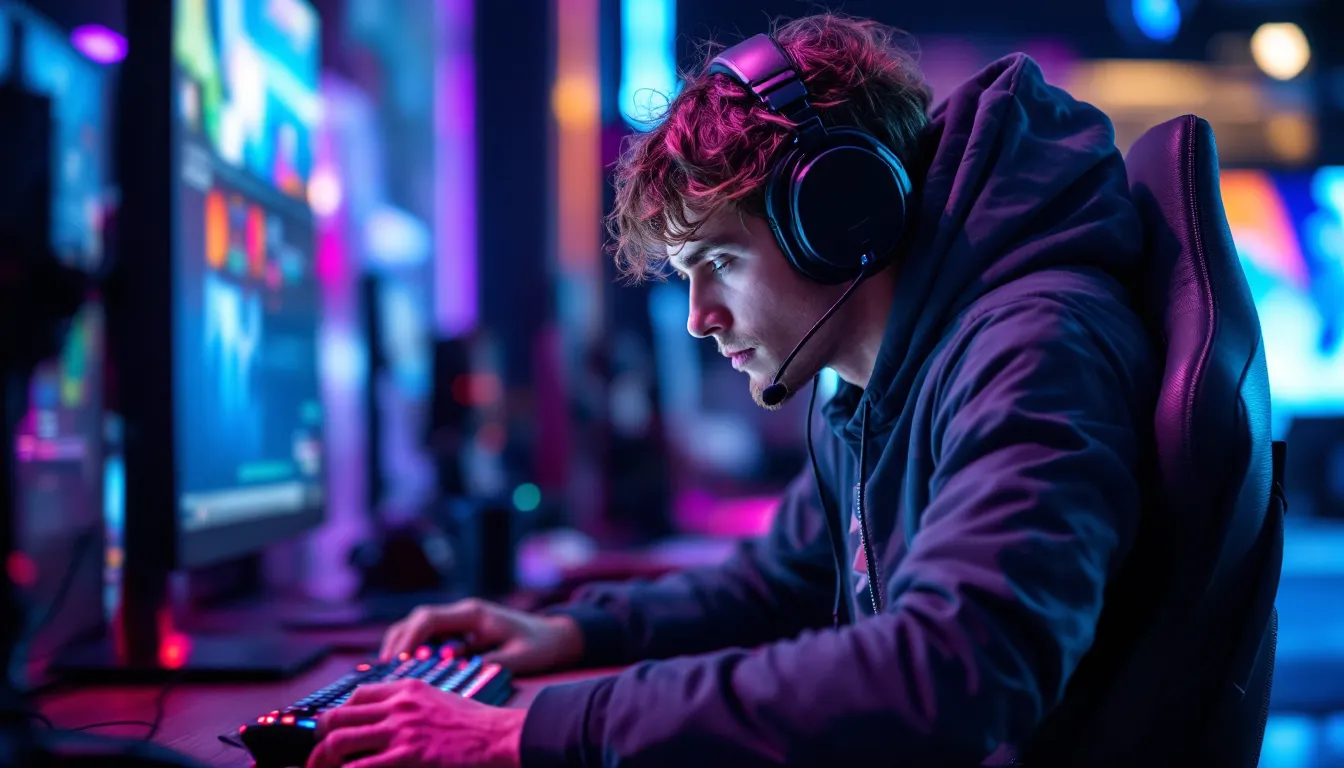
Finding the right gaming earphones with mic can be the difference between clutching a 1v5 and missing critical audio cues. While headsets dominate the market, earphones offer portability, comfort during marathon sessions, and surprisingly competitive audio performance, especially in 2026, where driver technology and mic clarity have caught up to their bulkier cousins.
Whether you’re grinding ranked matches on mobile, coordinating callouts in Valorant, or hunting footsteps in Warzone, your earphones need to deliver precise spatial audio and crystal-clear voice comms. But the market is flooded with options ranging from $20 budget picks to $300+ audiophile-grade IEMs with detachable boom mics.
This guide breaks down everything you need to know: which features actually matter, how to choose between wired and wireless, platform-specific recommendations for PC/console/mobile, and how to squeeze every drop of performance from your setup. No fluff, just the data and experience-backed advice to help you make the right call.
Key Takeaways
- Gaming earphones with mic now offer competitive audio performance and portability comparable to traditional headsets, making them ideal for ranked play and multi-platform gaming.
- Dual-driver or hybrid driver setups with 2kHz-8kHz frequency emphasis deliver the best positional accuracy for detecting footsteps and directional audio cues in competitive FPS games.
- Wired earphones eliminate latency entirely for sub-20ms performance, while modern wireless models with Bluetooth 5.3 or dedicated 2.4GHz dongles achieve sub-40ms latency suitable for most games.
- Microphone quality matters more than price—look for detachable boom mics or ENC (Environmental Noise Cancellation) technology to ensure clear team callouts without keyboard clatter or background noise.
- The sweet spot for gaming earphones sits between $75–150, where you get reliable drivers, functional mics, and gaming-optimized features without paying for diminishing returns.
- Proper EQ tuning, mic positioning, and regular maintenance—including tip replacement every 2–4 months—can dramatically improve audio clarity and comfort during extended gaming sessions.
Why Gaming Earphones With Mic Matter for Competitive Play
Competitive gaming demands split-second reactions, and audio is half the battle. Hearing an enemy’s reload animation, detecting directional footsteps through walls, or catching the faint sound of a defuse kit can turn losses into wins.
Earphones offer distinct advantages over traditional headsets. They’re lighter, reducing neck strain during 8-hour grinds. The direct ear-canal seal improves passive noise isolation, crucial in noisy environments or LAN tournaments. And modern gaming earphones pack surprisingly wide soundstages even though their compact form factor, with some models approaching the positional accuracy of mid-tier headsets.
The mic component is equally critical. Your teammates need to hear clean callouts without background noise, keyboard clatter, or breathing sounds. A quality inline or boom mic with decent noise cancellation keeps comms tight, which directly impacts coordination in team-based shooters, MOBAs, and battle royales.
Portability is another underrated factor. Traveling to tournaments, gaming at a friend’s house, or switching between your desktop rig and mobile setup becomes seamless. You’re not lugging around a bulky headset, just a compact case that fits in your pocket.
Finally, earphones excel for multi-platform gamers. Most work across PC, PlayStation, Xbox, Switch, and mobile with minimal adapter hassle. If you’re the type who plays Apex on PC, then switches to Call of Duty Mobile during your commute, a single quality pair handles both without compromise.
Key Features to Look for in Gaming Earphones With Mic
Audio Quality and Driver Technology
Driver size and type determine your audio experience. Most gaming earphones use dynamic drivers ranging from 8mm to 14mm. Larger drivers generally produce deeper bass and wider soundstage, but implementation matters more than raw size.
Look for dual-driver or hybrid setups if your budget allows. These combine dynamic drivers for low-end punch with balanced armature drivers for crisp highs, ideal for catching subtle audio cues like ability cooldowns or distant gunfire. Frequency response between 20Hz-20kHz is standard, but gaming-tuned profiles emphasize the 2kHz-8kHz range where footsteps and voice comms live.
Impedance is worth checking if you’re plugging into a PC with a dedicated DAC/amp. Most gaming earphones sit between 16-32 ohms for easy driving from controllers and mobile devices. Higher impedance models (64+ ohms) may require additional amplification but often deliver cleaner audio with less distortion at higher volumes.
Spatial audio support has exploded in 2026. Many premium models now support Windows Sonic, Dolby Atmos, or DTS Headphone:X when paired with compatible platforms. Testing from audio equipment specialists shows measurable improvements in positional accuracy for games with proper 3D audio implementation.
Microphone Performance and Noise Cancellation
Microphone quality varies wildly. Budget earphones typically use basic inline MEMS mics positioned on the cable, functional but prone to picking up clothing rustle and environmental noise. Mid-range options add basic noise filtering through DSP.
Premium gaming earphones feature detachable boom mics or advanced inline units with Environmental Noise Cancellation (ENC). ENC uses multiple microphones and AI filtering to suppress background noise, keyboard clicks, fan hum, traffic, while preserving voice clarity. This tech became standard on quality models in late 2025.
Frequency response matters for mics too. Gaming voice chat operates in the 100Hz-10kHz range. Cheap mics roll off below 200Hz, making your voice sound thin. Better units capture down to 100Hz for fuller, more natural tone.
Test your mic before committing. Record yourself in your actual gaming environment, mechanical keyboard clacking, PC fans running, and play it back. Your callouts should be intelligible without constant “What? I can’t hear you” from teammates.
Comfort and Fit for Extended Gaming Sessions
Ear tip design determines whether you’ll last 30 minutes or 8 hours. Most gaming earphones include multiple silicone or foam tips in S/M/L sizes. Memory foam tips like Comply variants provide superior noise isolation and comfort but compress over time and need replacement every few months.
Silicone tips are more durable and easier to clean. Look for dual-flange or tri-flange designs if standard tips don’t seal properly, they distribute pressure across more surface area, reducing fatigue.
Cable design affects comfort more than you’d expect. Braided cables resist tangling but can be stiff. Rubberized cables are flexible but tangle easily. Over-ear cable routing (worn behind your ears like IEMs) dramatically reduces cable noise and keeps them secure during head movement.
Weight matters for long sessions. Aim for earphones under 20 grams total. Anything heavier starts pulling on your ears after a few hours, causing discomfort and breaking seal consistency.
Some 2026 models include adjustable ear hooks or wing tips for extra stability, useful if you’re the type who gets animated during clutch moments or want to use them for gym sessions between gaming.
Wired vs. Wireless Gaming Earphones: Which Is Right for You?
Advantages of Wired Gaming Earphones
Wired connections eliminate latency entirely. You’re working with analog signal transmission, zero processing delay between game audio firing and your eardrums receiving it. For competitive FPS, fighting games, or rhythm games where 20-50ms latency can mean dropped inputs, wired is still king.
Audio quality per dollar is higher with wired. No battery, no Bluetooth chipset, no wireless circuitry, manufacturers can allocate more budget to drivers and build quality. A $100 wired gaming earphone typically outperforms a $150 wireless equivalent in pure sound reproduction.
Compatibility is simpler. 3.5mm works everywhere, PC, PlayStation 5, Xbox Series X/S, Nintendo Switch, mobile devices. USB-C variants handle newer devices without adapters. You’re not managing Bluetooth pairing, firmware updates, or connection dropouts mid-match.
No charging anxiety. Your earphones work whenever you plug them in. No “low battery” warnings during ranked matches, no forgetting to charge overnight before a tournament.
Wired setups also bypass potential wireless interference. In crowded environments, dorm rooms, LAN events, households with 15 smart devices, Bluetooth can get congested. Wired connections don’t care about your neighbor’s Wi-Fi router or the three other people on voice chat nearby.
Benefits of Wireless Gaming Earphones
Freedom of movement is the obvious win. Get up for snacks, adjust your sitting position, lean back without yanking the cable. Mobile gamers especially benefit, no cable bouncing against your screen or getting tangled in your grip.
Modern wireless gaming earphones have largely solved the latency problem. Bluetooth 5.3 with aptX Adaptive or LC3 codec delivers sub-40ms latency, imperceptible for most games except ultra-competitive scenarios. Dedicated 2.4GHz dongles (like on Razer Hammerhead Hyperspeed or ASUS ROG Cetra) hit sub-20ms, approaching wired performance.
Many 2026 wireless models include dual-mode connectivity: low-latency gaming mode via USB dongle and standard Bluetooth for music/calls. You’re not carrying two pairs of earphones, one set handles everything.
Battery life has improved dramatically. Current-gen gaming earphones deliver 8-12 hours per charge with charging cases pushing total runtime to 30-40 hours. Fast-charging provides 2+ hours from a 10-minute charge, minimizing downtime.
Wireless also means no cable noise. That annoying rubbing sound when your cable brushes your shirt during intense moments? Gone. And you’ll never deal with cable failure, the number-one cause of wired earphone death.
Best Gaming Earphones With Mic for Different Platforms in 2026
Top Picks for PC Gaming
PC gamers have the most flexibility and benefit from earphones with advanced features. The HyperX Cloud Mix Buds 2 (released Q1 2026) combines dual-driver audio with DTS Headphone:X spatial audio and a detachable boom mic. USB-C dongle latency sits at 18ms, and the companion software offers granular EQ control with per-game profiles.
For audiophile-grade performance, the Moondrop Aria 2 with Antlion ModMic Wireless pairing remains unbeaten. The Aria 2’s planar drivers deliver reference-quality audio with surgical imaging, perfect for competitive shooters. The ModMic adds broadcast-quality voice with bidirectional noise cancellation. Total cost runs around $280 but competes with setups triple that price.
Budget-conscious PC gamers should consider the JBL Quantum TWS Air. At $89, you’re getting decent 10mm drivers, USB-C dongle connectivity, and basic EQ through JBL’s QuantumENGINE software. Extensive gaming peripheral testing confirms these deliver solid positional audio for the price, though mic quality is merely adequate.
Wired PC picks include the Razer Hammerhead Duo with hybrid dual-driver design and surprisingly good inline mic with noise suppression. At $59.99, they’re a steal for single-player or casual multiplayer.
Best Options for Console Gaming
Console compatibility can be tricky since PlayStation and Xbox handle audio differently. The SteelSeries Tusq launched in late 2025 specifically for console gaming, USB-C connectivity for PS5/Xbox Series X, with a 3.5mm cable option for older systems. The ClearCast Gen 2 mic tech provides excellent voice quality without requiring dedicated dongles.
For Xbox-first gamers, the Turtle Beach Battle Buds support Xbox Wireless protocol directly (no dongle needed on Series X/S) and include Superhuman Hearing mode for amplifying footsteps and gunfire. Battery life hits 10 hours, and they fold down to controller compatibility for in-person multiplayer.
PlayStation users benefit from the Inzone Buds, Sony’s first gaming earbuds. Native PS5 integration, Tempest 3D Audio optimization, and AI-based noise cancellation for the mic. At $199, they’re pricey but offer seamless console integration that third-party options can’t match.
Nintendo Switch gamers need simple, wired solutions. The 1MORE Triple Driver earphones aren’t marketed for gaming but their balanced sound signature and lightweight cable make them ideal for handheld play. The inline mic handles Discord mobile voice chat perfectly.
Premium Choices for Mobile Gaming
Mobile gaming demands low latency and long battery life. The ASUS ROG Cetra True Wireless Pro targets this market with 10mm ASUS Essence drivers, ANC for commute gaming, and sub-25ms latency via the USB-C dongle. Touch controls let you adjust volume and activate ANC without pulling out your phone.
For iOS gamers, the Razer Hammerhead Pro HyperSpeed offers MFi certification and optimized performance with iPhone 15/16 Pro models. The Gaming Mode toggle drops latency to match Android performance, and the companion app includes presets for popular mobile titles like Genshin Impact, PUBG Mobile, and Call of Duty Mobile.
Budget mobile pick: Soundcore VR P10. Originally designed for Meta Quest, these $79 earbuds work brilliantly on mobile with their low-latency dongle, 12-hour battery, and surprisingly punchy bass. Reviews from gaming hardware outlets praise their value proposition for competitive mobile players.
For cross-platform mobile/PC gamers, the Logitech G FITS remain relevant in 2026. The moldable ear tips create custom-fit seals using lightform technology, you heat them once, they shape to your ears, then harden. Latency via dongle is 17ms, and dual Bluetooth + dongle connectivity means seamless device switching.
Budget-Friendly Gaming Earphones That Don’t Compromise Quality
You don’t need to drop $200+ for competitive-grade audio. Several sub-$75 options punch well above their weight class.
The KZ ZSN Pro X (around $35) offers hybrid dual-driver design with surprisingly wide soundstage. The detachable cable means easy replacement when it inevitably fails, and aftermarket cables with inline mics cost under $15. These require proper tip selection to seal correctly, but once dialed in, they compete with earphones twice their price.
CCA CRA sits even lower at $25-30. Single dynamic driver with bass emphasis, ideal for games where explosions and weapon feedback matter more than pin-point accuracy. The included inline mic is basic but functional. Build quality feels cheap because it is, but audio performance betrays the price tag.
For wireless on a budget, the EarFun Air Pro 3 ($79.99) brings ANC, 11-hour battery, and low-latency mode that actually works. Gaming Mode drops latency to around 55ms, not ideal for competitive shooters but totally fine for RPGs, strategy games, and casual multiplayer. The six-mic array provides clean voice chat even in moderately noisy environments.
Creative Outlier Air V3 deserves mention at $69.99. Super X-Fi spatial audio adds virtual surround that works surprisingly well in supported games, and the 10mm drivers deliver solid bass response. Battery life is exceptional at 14 hours per charge.
Wired budget champion remains the Philips SHQ3205. These rugged sports earphones cost around $30, include multiple ear hooks for secure fit, and deliver balanced audio suitable for most gaming genres. The cable is thick and tangle-resistant, and the inline mic handles voice chat adequately.
Budget doesn’t mean disposable, look for replaceable cables, included carrying cases, and at least a 1-year warranty. And be realistic about compromises: budget earphones sacrifice advanced features (spatial audio, premium mics, EQ customization) but can still deliver solid core audio and comms.
How to Optimize Your Gaming Earphones for Peak Performance
EQ Settings and Audio Customization
Out-of-box tuning rarely suits gaming perfectly. Most earphones emphasize bass for music, which muddies important mid and high frequencies where footsteps, reloads, and voice comms live.
Start with platform-specific EQ tools. Windows users can leverage Equalizer APO with Peace GUI, completely free and powerful. Create game-specific profiles:
FPS/Competitive Preset:
- Reduce 60-250Hz by 2-4dB (tames bass rumble)
- Boost 2-4kHz by 3-5dB (enhances footsteps, gunfire)
- Slight boost at 8-10kHz (improves clarity, environmental detail)
- Reduce 12kHz+ by 1-2dB (reduces harsh sibilance during long sessions)
Immersive/Single-Player Preset:
- Keep bass natural (slight boost at 60-80Hz if desired)
- Gentle V-curve: emphasize lows and highs, slight dip in mids
- Enables cinematic feel for story-driven games
Mobile gamers can use Wavelet (Android) or built-in iOS Audio Accessibility settings. Many earphones include companion apps with preset EQs, test them before building custom profiles.
Spatial audio software deserves experimentation. Windows Sonic is free and works reasonably well. Dolby Atmos ($14.99) provides more precise positioning if your game supports it. DTS Sound Unbound ($19.99) splits the difference.
Test your EQ changes in-game, not with music. Load into a private match, have a friend walk around at various distances, and verify you can accurately pinpoint their position. Adjust until directional audio feels natural.
Microphone Setup and Voice Chat Optimization
Mic positioning dramatically affects voice quality. Inline mics should sit at chest height, too low picks up clothing rustle, too high loses volume. Use a cable clip to secure position.
Boom mics perform best 2-3 finger-widths from your mouth, angled slightly off-axis (not directly in front). This reduces plosives (harsh P and T sounds) while maintaining proximity for natural tone.
Adjust mic sensitivity in your platform’s audio settings. Too high amplifies background noise and causes distortion when you speak loudly during intense moments. Too low forces you to speak unnaturally loud. Aim for input meter hitting 60-75% during normal speech.
Noise suppression settings need balance. Maximum suppression cuts background noise but can make your voice sound robotic or cut out syllables. Test with teammates, ask if you sound natural or if they’re missing words.
Discord users should enable Krisp noise suppression (free tier available). It’s remarkably effective at killing keyboard/mouse sounds without making you sound like a robot. Adjust suppression strength to taste, 40-60% works for most.
In-game voice chat usually has lower quality than dedicated apps. Use Discord, TeamSpeak, or Guilded when possible for better codec support and lower latency. In-game chat is convenient but often compressed heavily.
Sidetone (hearing your own voice in your earphones) helps you moderate volume naturally. Many gaming earphone apps include this feature, set it low (10-20%) so you’re aware without it being distracting.
Common Issues With Gaming Earphones and How to Fix Them
Audio only in one ear: First, check the obvious, clean the mesh filters with isopropyl alcohol and a soft brush. Earwax buildup is the number-one cause. If still mono, try different devices to isolate hardware vs. source issue. Check audio balance settings (Windows Sound Control Panel > Device Properties > Levels > Balance). If it’s a cable issue, consider replacement cables for IEMs with detachable designs.
Microphone not working or sounds muffled: Verify mic isn’t muted in system settings and that your gaming platform recognizes it as the input device. Many combo jacks (TRRS) require adapters for PC, ensure you’re using a proper 4-pole splitter, not two separate 3-pole cables. Clean the mic hole with compressed air: debris buildup is common. For inline mics, ensure the cable hasn’t twisted internally near the mic module.
Intermittent connection dropouts (wireless): Update firmware through the manufacturer’s app, connectivity fixes are common in updates. Reduce distance between dongle and earphones: USB extension cables bring dongles to desktop level, improving line-of-sight. Check for interference from Wi-Fi routers, wireless mice, or other Bluetooth devices. Some earphones let you select 2.4GHz channel manually, try different channels if available.
Poor seal/sound leakage: Wrong tip size is usually the culprit. Try going up or down a size, or switch tip types entirely (silicone to foam or vice versa). Insert deeper, most people don’t insert IEMs far enough. For proper seal, the earbud housing should sit flush or nearly flush with your ear. Poor seal kills bass response and lets in environmental noise.
Battery draining too fast: Disable unused features like ANC when gaming, it can reduce battery life by 30-40%. Lower volume: max volume drains batteries significantly faster. Ensure earphones enter sleep mode properly when not in use. If battery degradation is severe (less than 50% original life), it’s likely time to replace the earphones, most use non-serviceable batteries.
Cable tangling/memory: Run cables through your shirt to minimize movement. Store using the over-under cable wrapping method, prevents twist memory. For stubborn memory wire around IEM hooks, carefully apply low heat with a hair dryer while shaping to desired curve. Replace particularly bad cables: aftermarket options are cheap.
Echo or feedback during voice chat: This happens when your mic picks up game audio from your earphones. Lower volume, ensure proper ear seal (so less audio leaks out), or enable echo cancellation in your chat app. Some games create feedback loops with certain voice chat settings, try push-to-talk instead of open mic.
Caring for Your Gaming Earphones to Extend Their Lifespan
Proper storage prevents 90% of damage. Always use the included case or a dedicated earphone case. Loose storage in pockets or bags leads to cable stress, crushed housings, and damaged drivers. For wired models, wrap cables loosely using the over-under method, never wrap tightly around the earphones themselves.
Clean regularly but carefully. Remove ear tips weekly and wash with warm soapy water. Let them dry completely before reattaching. Clean the mesh filters monthly with isopropyl alcohol (70%+) on a soft toothbrush. Don’t drench them, lightly dampen the brush. This prevents earwax buildup that degrades audio quality and can permanently clog drivers.
Protect cables at stress points. The connection point between cable and housing is most vulnerable. Never yank earphones out by the cable: always pull by the housing. For detachable cables, disconnect before storage to prevent connector corrosion. Cable relievers (small spring protectors) add life to vulnerable areas.
Manage moisture carefully. Sweat is gaming earphones’ worst enemy. After intense sessions, wipe down with a dry cloth. Don’t store immediately in closed cases, let them air dry first. Some manufacturers include moisture-absorbing packets: replace these every few months.
For wireless models, maintain battery health. Avoid regular 0% drains, charge when you hit 15-20%. Don’t leave plugged in at 100% constantly: modern batteries prefer the 20-80% range. If storing for extended periods (vacation, etc.), charge to 50% first.
Replace ear tips proactively. Foam tips last 2-4 months depending on use frequency. Silicone tips last longer but still degrade, check for cracks or tears monthly. Degraded tips compromise seal, reducing audio quality and comfort. Aftermarket tips (Comply, SpinFit, Final Audio) often outlast stock options.
Check for firmware updates quarterly through manufacturer apps. Updates often include performance improvements, bug fixes, and occasionally new features. Outdated firmware can cause connection issues or poor battery performance.
Inspect cables monthly for wear. Look for kinks, exposed wires, or hardening insulation. Catch problems early, a small fray can be protected with heat shrink tubing before it becomes a complete failure. For braided cables, watch for unraveling at termination points.
Conclusion
Gaming earphones with mic have evolved from afterthought peripherals to legitimate competitive tools. The right pair delivers positional audio accuracy that rivals dedicated headsets, voice comms quality that keeps coordination tight, and portability that fits multi-platform lifestyles.
Your choice eventually depends on your gaming profile. Competitive PC players prioritizing every millisecond should lean wired with low-impedance drivers and detachable boom mics. Console-first gamers benefit from platform-optimized models with native integration. Mobile grinders need wireless with aggressive battery life and low-latency modes.
Budget determines features but shouldn’t lock you out of quality. The sweet spot sits around $75-150, where you’re getting solid drivers, competent mics, and enough features to matter without paying for diminishing returns. But don’t sleep on budget champions if you’re willing to compromise on bells and whistles.
Once you’ve got your pair, optimization matters as much as hardware. Dial in EQ for your main games, position and configure your mic properly, and maintain your gear to extend lifespan. These small efforts compound into noticeably better performance over time.
The gaming earphones market will keep evolving, better codecs, longer batteries, smarter noise cancellation. But the fundamentals don’t change: accurate audio, clear comms, and comfort during marathon sessions. Nail those three, and you’ve got a setup that’ll serve you well whether you’re grinding ranked or just vibing through a single-player campaign.