
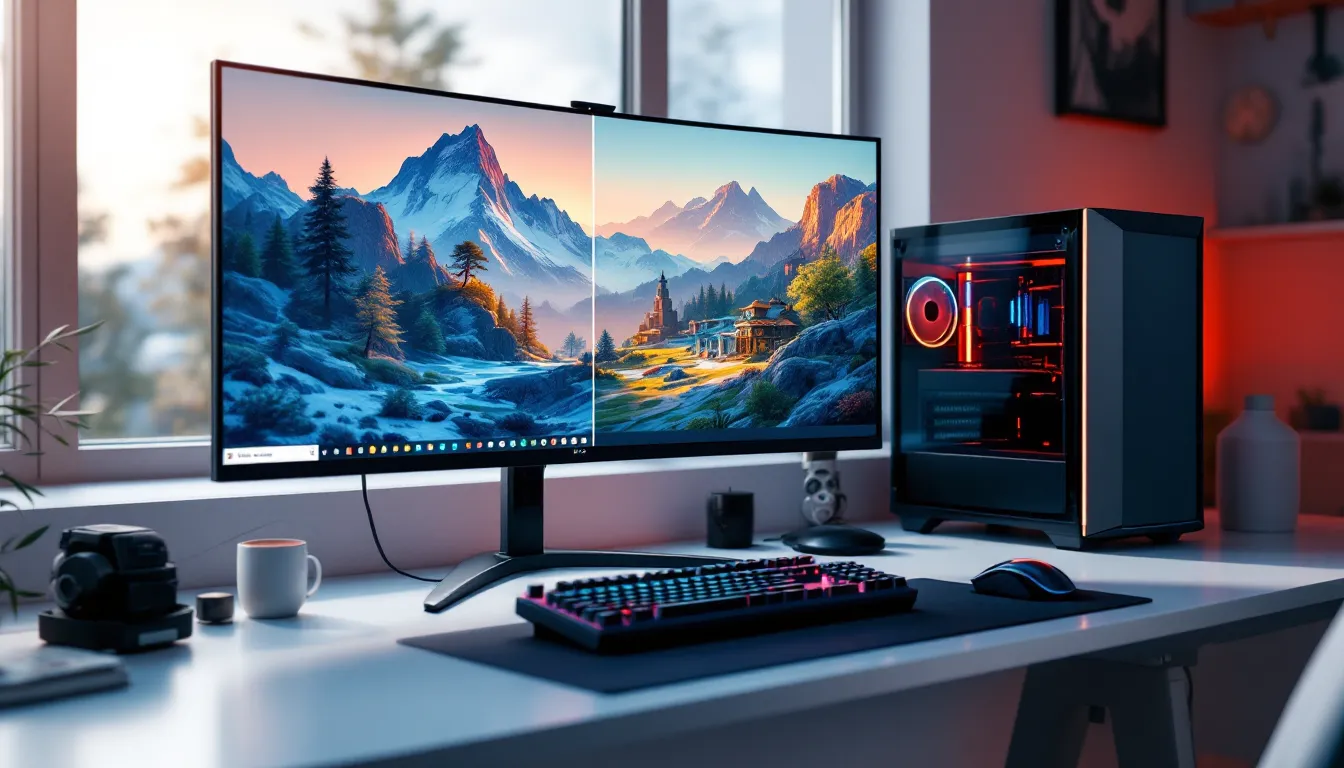
If you’ve ever noticed distant trees that look like cardboard cutouts suddenly morphing into detailed foliage as you get closer, you’ve witnessed LOD in action. It’s one of gaming’s most essential but invisible technologies, working tirelessly behind the scenes to keep your frame rates smooth while your world looks good. For PC enthusiasts tweaking .ini files and console players wondering why distant objects look blurry, understanding LOD is key to optimizing your gaming experience.
This guide breaks down exactly what LOD means in gaming, how it works under the hood, and why it matters for every genre from open-world RPGs to competitive shooters. Whether you’re trying to squeeze more FPS out of your rig or just curious why some games handle distant details better than others, you’ll find the answers here.
Key Takeaways
- LOD (Level of Detail) meaning in gaming refers to a rendering technique that adjusts 3D model complexity, textures, and shader effects based on distance from the camera, enabling smooth frame rates without sacrificing visual quality.
- LOD systems work by automatically reducing polygon counts and texture resolution for distant objects while rendering nearby elements in full detail, with typical implementations using three to five discrete detail levels.
- Modern game engines like Unreal Engine 5 use Nanite technology to virtualize geometry and eliminate traditional LOD management, while distance-based and screen-space size calculations determine when the engine switches between LOD levels.
- Aggressive LOD scaling improves performance dramatically—sometimes doubling or tripling frame rates—but can introduce pop-in artifacts where objects visibly change detail levels as you move, requiring careful developer tuning to minimize disruption.
- PC gamers can fine-tune LOD settings through graphics menus (Object Detail, Texture Quality, View Distance) and config files, while console players rely on developer presets with limited options like Performance vs. Quality modes.
- The future of LOD technology includes perceptual LOD systems, machine learning-assisted asset generation, and ray tracing-aware detail scaling that will make level of detail rendering increasingly seamless and invisible to players.
What Does LOD Mean in Gaming?
LOD stands for Level of Detail, a rendering technique that adjusts the complexity of 3D models, textures, and effects based on specific criteria, usually distance from the camera. When a game object is far away, it’s rendered with fewer polygons, lower-resolution textures, and simpler shaders. As the player gets closer, the engine swaps in progressively higher-quality versions.
This isn’t just a graphics setting you toggle on or off. LOD is baked into nearly every modern game engine, Unreal Engine 5, Unity, REDengine, Creation Engine, you name it. Without LOD, your GPU would be rendering every blade of grass, every character model, and every building at maximum detail simultaneously, even if they’re miles away and occupy three pixels on your screen. That’s a recipe for single-digit frame rates.
The term can also refer to LOD bias in graphics settings, which controls how aggressively the game scales down detail. A negative LOD bias forces higher detail at all distances (tanking performance), while a positive bias reduces detail sooner (boosting FPS but introducing more pop-in and muddier distant visuals). It’s a trade-off every game and every player navigates differently.
How Level of Detail Works in Video Games
The Technical Foundation of LOD Systems
LOD systems operate on a simple principle: render what matters most, and simplify everything else. Game engines continuously calculate the distance between the player’s camera and every renderable object in the scene. Based on that distance, the engine selects an appropriate LOD level from a predefined set.
Most modern games use discrete LOD levels, typically three to five versions of each asset, ranging from ultra-high detail (LOD0) down to barely-recognizable silhouettes (LOD4 or LOD5). Each version is pre-built by artists or generated through automated mesh reduction algorithms. The engine then streams these assets in and out of memory as needed.
Unreal Engine 5 introduced Nanite, a virtualized geometry system that effectively eliminates traditional LOD management for supported assets by rendering only the pixels you can actually see. It’s a game-changer for environments with millions of polygons, but it doesn’t work for everything, animated characters and foliage still rely on traditional LOD.
Distance-Based LOD Scaling
Distance is the most common LOD trigger, but it’s not the only one. Some engines factor in screen-space size (how many pixels an object occupies), performance budgets (dynamically lowering detail if frame rate drops), or even player focus (reducing detail outside the camera’s center).
Typical distance thresholds might look like this:
- LOD0 (full detail): 0–20 meters from camera
- LOD1: 20–50 meters
- LOD2: 50–100 meters
- LOD3: 100–300 meters
- LOD4 (billboard or culled): 300+ meters
These numbers vary wildly by game, genre, and platform. A competitive shooter like Warzone might keep character models at LOD1 even at 100 meters for competitive fairness, while an open-world game like Starfield aggressively scales down distant terrain to keep exploration smooth.
Why LOD Is Critical for Game Performance
Balancing Visual Quality and Frame Rates
LOD is the unsung hero of playable frame rates. Rendering a high-poly character model with 100,000 triangles is fine when there’s one on screen. But in an MMO raid with 40 players? That’s 4 million triangles before you even count the environment. LOD cuts that down by 70–90% for distant players, keeping your GPU from melting.
The performance savings are massive. A well-implemented LOD system can double or even triple frame rates in dense scenes with minimal visual sacrifice. That’s why “Object Detail” or “Mesh Quality” settings in graphics menus often have such a dramatic impact, they’re directly controlling LOD distance thresholds and quality tiers.
But there’s a catch. Aggressive LOD scaling introduces pop-in, where objects visibly snap between detail levels as you move. Bad pop-in breaks immersion and can even impact gameplay. Developers spend months tuning LOD transitions to be as smooth as possible, often using cross-fade techniques or time-slicing LOD swaps across multiple frames.
LOD Impact on Different Gaming Platforms
PC gaming offers the most LOD flexibility. High-end rigs can push LOD distances out to the horizon, keeping detail crisp even hundreds of meters away. Budget builds dial it back to maintain 60 FPS. Many games expose granular LOD controls through config files, letting enthusiasts fine-tune exactly where each LOD tier kicks in.
PlayStation 5 and Xbox Series X strike a middle ground, enough power for respectable LOD distances, but locked settings mean you’re stuck with developer choices. Current-gen consoles often use dynamic LOD scaling that adjusts quality on the fly based on GPU load. When action gets intense, detail drops. When things calm down, it climbs back up.
Nintendo Switch and last-gen consoles are where LOD becomes most visible. Developers have to be ruthless with LOD distances and poly counts to hit stable 30 FPS. The Witcher 3 on Switch, for example, uses dramatically simplified LOD models compared to PC, with distant NPCs rendered as low-poly stand-ins that would look comical up close.
Types of LOD Used in Modern Games
Geometric LOD
Geometric LOD (also called mesh LOD) is the most visible type. It reduces the polygon count of 3D models as they move away from the camera. A character model might go from 50,000 triangles at close range to 5,000 at medium distance to 500 at extreme range.
Artists create these LOD versions manually or use automated tools like Simplygon or Unreal’s mesh reduction. The goal is to preserve the silhouette and major features while slashing internal detail. A distant character doesn’t need individually modeled fingers or facial features, a few hundred triangles for the body outline is plenty.
Some games use impostor systems at extreme distances, replacing full 3D models with flat billboards or sprites that always face the camera. This was standard in older games and still appears in modern titles for ultra-distant objects like trees on far-off mountains.
Texture LOD and Mipmapping
Texture LOD works similarly but targets texture resolution instead of geometry. When game textures are created, the engine automatically generates mipmaps, pre-calculated, progressively smaller versions of each texture (half-size, quarter-size, eighth-size, etc.).
As a surface moves farther away, the GPU switches to lower mip levels. This does two things: it reduces memory bandwidth (smaller textures load faster) and prevents aliasing artifacts that occur when high-resolution textures are rendered at tiny sizes.
The “Texture Quality” setting in most games controls how many mip levels are available and how quickly the engine switches between them. High settings keep full-resolution textures visible longer: low settings swap to lower mips sooner. Graphics settings like anisotropic filtering also affect texture clarity at oblique angles, working alongside mipmapping to maintain sharpness.
Shader and Material LOD
Less visible but equally important is shader LOD. Complex materials in modern games use expensive shaders with dozens of instructions, subsurface scattering for skin, parallax occlusion mapping for depth, real-time reflections, etc. Calculating these for every pixel on screen is overkill for distant objects.
Shader LOD systems swap high-complexity shaders for simpler approximations at distance. That realistic leather armor material up close becomes a basic diffuse texture with baked-in highlights at 50 meters. The visual difference is minimal when the object is small on screen, but the performance gain is substantial.
Some engines also use material parameter LOD, adjusting individual shader properties rather than swapping entire shaders. For example, disabling expensive per-pixel calculations for distant surfaces while keeping the base material intact.
How LOD Settings Affect Your Gaming Experience
Visual Differences Between LOD Levels
For most players, LOD works invisibly. But once you know what to look for, you can’t unsee it. Distant mountains that look painted on, NPCs 100 meters away with blocky heads, foliage that suddenly gains depth as you approach, that’s all LOD at work.
The visual gap between LOD levels depends heavily on developer skill and budget. AAA games like Cyberpunk 2077 or Horizon Forbidden West invest heavily in seamless LOD transitions, using time-of-frame budgets to slowly morph between levels. Indie games or rushed releases often show jarring pops as models snap between detail tiers.
Screen-space size matters more than absolute distance. A massive building 200 meters away might stay at LOD1 because it occupies significant screen real estate, while a small prop 50 meters away drops to LOD3. Smart LOD systems account for this, but simpler distance-only implementations can look uneven.
Common LOD Issues and Pop-In Problems
Pop-in is the most notorious LOD problem, objects or detail levels suddenly appearing or changing as you move. It’s especially jarring in open-world games when driving or flying at high speed. GTA V, even though its polish, still has visible tree pop-in when flying jets at low altitude.
Some pop-in is engine-limited, but it’s often a symptom of aggressive LOD settings to maintain performance targets. Console versions of multiplatform games typically show more pop-in than PC versions running at max settings because LOD distances are tightened to hit stable frame rates.
LOD bias artifacts can also occur. Overly aggressive negative LOD bias (forcing high detail everywhere) causes shimmering and aliasing as textures fight with the pixel grid. Too much positive bias creates blurry, muddy visuals even at moderate distances. According to testing by outlets like PC Gamer, the sweet spot for most games is leaving LOD bias at default or making only slight adjustments.
Competitive gamers sometimes intentionally lower LOD settings not for performance but to reduce visual clutter, simplified foliage and grass can make spotting enemies easier in games like PUBG or Escape from Tarkov.
Adjusting LOD Settings in Popular Games
PC Gaming LOD Controls
Most PC games expose LOD controls through graphics menus, though the labeling varies. Look for settings like:
- Object Detail / Mesh Quality: Controls geometric LOD distances and quality tiers
- Texture Quality: Affects mipmap levels and texture streaming
- View Distance / Draw Distance: Maximum range before objects are culled entirely
- Level of Detail: Direct LOD bias adjustment (rarer in modern games)
Some games hide granular LOD tweaks in config files. For example, Unreal Engine games often have LOD scalability settings in Engine.ini or Scalability.ini. Common parameters include:
r.ViewDistanceScale

r.SkeletalMeshLODBias

r.StaticMeshLODDistanceScale
Tweaking these can push LOD distances beyond what the in-game menu allows, though it can tank performance on weaker hardware. Modding communities for games like Skyrim and Fallout 4 have entire wikis dedicated to LOD optimization.
NVIDIA and AMD control panels also offer LOD bias adjustments at the driver level, overriding game settings. This is mostly used for forcing texture sharpness in older games but can conflict with modern LOD systems.
Console LOD Limitations
Console players are largely at the mercy of developer presets. There’s no “Graphics Settings” menu on PS5 or Xbox Series X, LOD distances and quality are baked into the game build. Some titles offer “Performance” vs. “Quality” modes, where Performance mode typically reduces LOD distances alongside resolution to hit higher frame rates.
Dynamic resolution scaling often works hand-in-hand with LOD. When GPU load spikes, the engine might simultaneously drop resolution and reduce LOD distances to maintain target FPS. This is why intense combat scenes in games like Elden Ring can make distant areas noticeably blurrier.
The exception is PC-like settings on Xbox Series consoles through developer menus in select titles, but this is rare and usually limited to quality/performance toggle rather than granular LOD control.
LOD in Different Gaming Genres
Open-World and MMORPGs
Open-world games live or die by their LOD implementation. Games like Red Dead Redemption 2, Assassin’s Creed Valhalla, and The Elder Scrolls Online render vast landscapes with thousands of objects. Without aggressive LOD, these worlds would be unplayable.
MMORPGs face unique LOD challenges with player density. Final Fantasy XIV raids with 24 players require heavy character LOD to stay smooth. The game uses distance-based LOD for player models and can even hide non-essential players entirely when frame rate drops, controversial but effective.
Terrains in open-world games often use terrain LOD systems separate from object LOD. Height maps and terrain textures scale down at distance, sometimes creating visible “rings” of detail around the player. Minecraft with shader mods demonstrates this clearly, terrain chunks load in progressive detail rings as you move.
Competitive FPS and Battle Royale Games
Competitive shooters need careful LOD balance. Too aggressive, and distant enemies become harder to spot. Too lenient, and frame rates suffer, creating input lag and stutter that kills competitive viability.
Games like Call of Duty: Warzone and Apex Legends keep player models at relatively high LOD even at long distances to maintain competitive fairness. Environmental detail, but, scales aggressively, distant buildings and props drop to low-poly versions quickly.
Some competitive games disable certain LOD scaling for specific objects. Foliage LOD is often locked on console to prevent PC players with low settings from having clear sightlines where console players see dense grass. Anti-cheat through enforced LOD consistency.
Battle royale titles also deal with player-count scaling. PUBG with 100 players needs more aggressive character LOD than Counter-Strike 2 with 10. Hardware recommendations from sites like WCCFTech often factor in these LOD demands when suggesting GPUs for different genres.
VR Gaming and LOD Challenges
VR demands exceptionally high frame rates (90+ FPS) and renders the scene twice (once per eye), making LOD absolutely critical. Even high-end GPUs struggle with VR at full detail, so LOD distances are typically tighter than flat-screen games.
VR also introduces foveated rendering, a new form of LOD that reduces detail in the player’s peripheral vision based on eye tracking. The center of vision stays sharp, but areas you’re not directly looking at drop to lower quality. Devices like PlayStation VR2 and upcoming PC headsets use this to effectively double performance.
Hand-held objects in VR often stay at LOD0 regardless of distance since they’re always in view. But environments aggressively scale back. Games like Half-Life: Alyx and Resident Evil Village VR demonstrate excellent LOD tuning, maintaining immersion while hitting performance targets.
Optimizing LOD Settings for Better Performance
Finding the Right LOD Balance for Your Hardware
Optimizing LOD is about finding the sweet spot where visual quality meets your performance target. Start by identifying your bottleneck, if your GPU is at 99% usage while CPU sits at 50%, graphics settings (including LOD) are your focus.
For mid-range GPUs (RTX 4060, RX 7600), prioritize:
- Set Object/Mesh Quality to Medium or High (Low often looks terrible for minimal FPS gain)
- Reduce View Distance before touching Object Quality, distant detail matters less than nearby fidelity
- Keep Texture Quality High if you have 8GB+ VRAM, mipmaps are efficient and textures make the biggest visual impact
For high-end rigs (RTX 4080+, RX 7900 XTX), max out LOD settings but watch for diminishing returns. Ultra vs. High Object Quality might gain 5% visual improvement for 20% FPS loss. Not always worth it.
Monitor frame time consistency, not just average FPS. Aggressive LOD transitions can cause frame time spikes as new assets stream in. Smoother LOD settings might lower average FPS slightly but create more consistent frame pacing, which feels better.
Advanced LOD Tweaks for PC Gamers
Power users can dive deeper into LOD optimization through config editing:
Unreal Engine games:
r.SkeletalMeshLODBias=-1forces higher character LOD (negative bias = more detail)r.ViewDistanceScale=1.5extends overall LOD distances by 50%foliage.LODDistanceScale=2.0doubles foliage detail distances
Unity games:
- Often use QualitySettings.lodBias in C# scripts, less accessible without modding
- Some games expose LOD bias in XML config files
Modding communities for games like Skyrim Special Edition and Fallout 4 have created entire LOD overhaul mods (xLODGen, DynDOLOD) that regenerate all LOD models with higher quality and extended distances. These mods can transform distant visuals but require significant VRAM and careful installation.
Testing methodology for LOD tweaks:
- Choose a visually complex area with varied object distances
- Use built-in benchmarks or consistent test routes
- Monitor 1% low FPS (more important than average for gameplay feel)
- Check for pop-in and transition artifacts at different movement speeds
- Balance visual satisfaction against frame time consistency
Some games also respond well to pre-loading LOD assets via settings that increase texture streaming pool size or asset cache. This trades longer initial load times for reduced pop-in during gameplay.
The Future of LOD Technology in Gaming
LOD technology is evolving rapidly as hardware capabilities and rendering techniques advance. Unreal Engine 5’s Nanite represents the biggest shift, automatically handling geometry LOD at the pixel level, effectively eliminating traditional LOD management for static meshes. Epic claims Nanite can handle billions of polygons with no performance penalty, though real-world implementation still has limitations.
Machine learning is entering LOD workflows. NVIDIA’s research into neural texture compression and AI-generated LOD models could automate much of the manual artist work currently required. Imagine engines that generate optimal LOD chains automatically based on scene analysis and hardware capability detection.
Mesh shaders on modern GPUs (DirectX 12 Ultimate, Vulkan) enable more sophisticated LOD transitions. Instead of discrete LOD swaps, games can smoothly morph between detail levels or generate LOD variations on the fly. This reduces pop-in significantly.
Cloud gaming introduces interesting LOD dynamics. Services like GeForce NOW and Xbox Cloud Gaming render on powerful server hardware, potentially allowing higher LOD settings than local hardware could handle. But network latency and compression artifacts become the new bottleneck.
Ray tracing complicates LOD, simplified geometry still needs accurate ray-traced lighting and reflections, creating new performance considerations. Techniques like ray tracing LOD (reducing ray count or precision for distant objects) are emerging to handle this.
The holy grail is perceptual LOD, systems that adjust detail based on what human vision actually notices rather than arbitrary distance thresholds. Combined with eye tracking and foveated rendering, future games might render only what you’re consciously perceiving at full quality, with everything else simplified. That’s still years away from mainstream, but the groundwork is being laid.
As GPUs continue advancing and engines become smarter, LOD will become increasingly invisible, exactly as it should be. The best LOD system is one you never notice because it’s preserving both visual quality and performance so seamlessly you forget it exists.
Conclusion
LOD is gaming’s ultimate balancing act, sacrificing details you barely notice to preserve the performance you absolutely need. From the discrete model swaps in open-world epics to the cutting-edge Nanite tech erasing traditional LOD boundaries, understanding these systems helps you make smarter graphics choices and appreciate the technical wizardry keeping your games smooth.
Whether you’re tweaking config files to squeeze out a few more frames or just wondering why those distant mountains look painted on, LOD is always working behind the scenes. As rendering tech evolves and engines get smarter, these systems will only become more sophisticated, and more invisible. That’s the goal: stunning worlds that run beautifully, where the only pop-in you ever see is a perfectly timed headshot.