
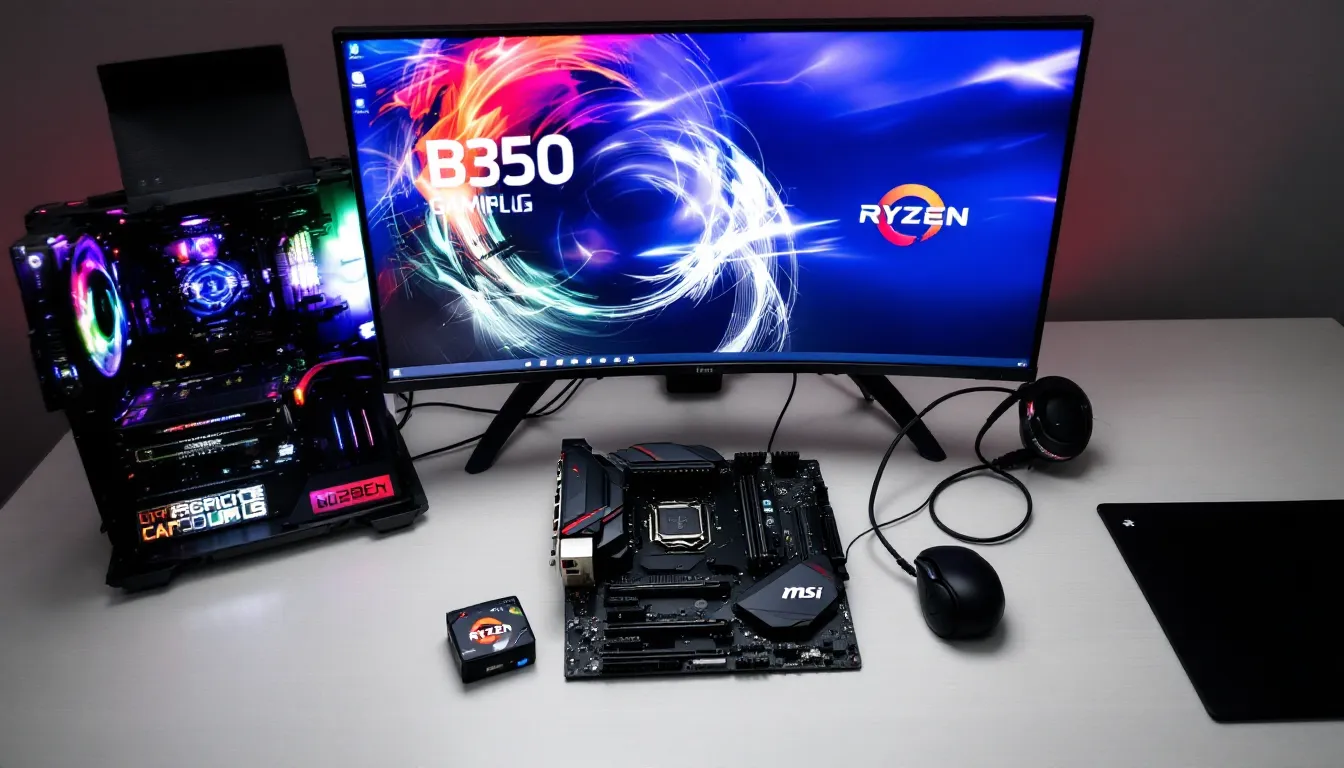
The MSI B350 Gaming Plus has been around since AM4’s early days, launched alongside AMD’s first-gen Ryzen processors back in 2017. Nearly a decade later, it’s still kicking in budget builds, second-hand markets, and hand-me-down rigs. But here’s the question: should you still use this board in 2026, or is it time to retire it for something modern?
If you’ve scored a B350 Gaming Plus for cheap, inherited one from a friend, or you’re just curious whether your old build can handle another year, this guide breaks down everything you need to know. We’ll cover specs, performance with modern Ryzen chips, overclocking headroom, BIOS quirks, and whether this board still makes sense in today’s gaming landscape. No fluff, no marketing hype, just what gamers actually need to know about one of AM4’s most budget-friendly survivors.
Key Takeaways
- The MSI B350 Gaming Plus supports Ryzen CPUs up to the 3000-series, making it compatible with chips like the Ryzen 5 3600, but it cannot support Ryzen 5000-series processors due to BIOS chip limitations.
- With a Ryzen 5 3600 or Ryzen 7 2700X, the B350 Gaming Plus delivers solid 1080p gaming performance with no CPU bottlenecking on mid-range GPUs, though its weak 4+2 phase VRM limits overclocking headroom.
- The board’s single M.2 PCIe 3.0 slot and lack of PCIe 4.0 support mean you’re capped at Gen3 NVMe speeds, and you’ll need a BIOS update if upgrading to Ryzen 3000-series from older generations.
- On the used market, the MSI B350 Gaming Plus costs $30–$50, making it an excellent value for ultra-budget builds, though a B450 board for $60–$80 offers better long-term upgrade potential and Ryzen 5000 support.
- BIOS updates require a compatible CPU already installed, and early RAM compatibility issues with high-speed kits can be resolved by manually setting DRAM voltage to 1.35V.
What Is the MSI B350 Gaming Plus and Who Is It For?
The MSI B350 Gaming Plus is an ATX motherboard built around AMD’s B350 chipset, designed for the AM4 socket. It launched in early 2017 as a budget-friendly option for gamers who wanted to pair first-gen Ryzen processors with decent features without very costly.
Out of the box, it supported Ryzen 1000-series CPUs, but MSI released BIOS updates that extended compatibility all the way to Ryzen 3000-series chips (Zen 2). That means you can technically run a Ryzen 5 3600 or even a Ryzen 7 3700X on this board, though it wasn’t originally designed for them. The board maxed out before Ryzen 5000-series support, so chips like the 5600X won’t work here, a crucial detail if you’re planning upgrades.
In 2026, this board is for a very specific audience: budget builders scouring the used market, retro-gaming enthusiasts, or anyone repurposing an older rig for a second PC or LAN setup. It’s not a board you’d recommend for a fresh build unless the price is absurdly low. If you already own one or can grab it dirt cheap, it still has legs for 1080p gaming and everyday tasks, but temper your expectations.
Key Specifications and Features at a Glance
Here’s what the B350 Gaming Plus brings to the table, spec-wise. It’s a barebones list by modern standards, but it covers the essentials.
Chipset and Socket Compatibility
The board uses the AMD B350 chipset and AM4 socket. Officially, it launched with support for Ryzen 1000-series (Summit Ridge) and Bristol Ridge APUs. MSI later extended compatibility to Ryzen 2000-series (Pinnacle Ridge) and select Ryzen 3000-series (Matisse) CPUs through BIOS updates.
Crucially, the board does not support Ryzen 5000-series processors. MSI confirmed that the BIOS chip’s limited capacity (16MB) couldn’t accommodate the code needed for Zen 3 chips. If you’re planning to drop in a 5600X or 5800X3D, you’ll need a B450, B550, or X570 board instead.
The B350 chipset also limits PCIe lanes compared to X370 or newer chipsets. You get PCIe 3.0 support, but no PCIe 4.0, so forget about leveraging the faster NVMe speeds and GPU bandwidth that newer boards offer.
Memory and Storage Options
The board supports up to 64GB of DDR4 RAM across four DIMM slots, with speeds up to 3200MHz (OC). Early BIOS versions struggled with RAM compatibility, especially with high-speed kits, but later updates improved stability. Still, don’t expect plug-and-play XMP profiles to work flawlessly, some manual tuning might be required.
For storage, you get:
- 1x M.2 slot (PCIe 3.0 x4, SATA)
- 6x SATA III ports (6Gb/s)
The single M.2 slot is a bottleneck if you’re running multiple SSDs, but for most budget builds, one NVMe drive plus a couple of SATA drives will suffice. No PCIe 4.0 NVMe support means you’re capped at Gen3 speeds, still plenty fast for gaming in 2026, but not cutting-edge.
Expansion Slots and Connectivity
Expansion is where the B350 Gaming Plus shows its age:
- 1x PCIe 3.0 x16 slot (for your GPU)
- 2x PCIe 2.0 x1 slots
- 3x PCIe 2.0 x16 slots (x4 mode)
Rear I/O includes:
- 1x PS/2 combo port
- 1x DVI-D, 1x HDMI (for integrated graphics on APUs)
- 4x USB 3.1 Gen1 (5Gb/s)
- 2x USB 2.0
- 1x RJ45 LAN port (Realtek 8111H Gigabit Ethernet)
- 6x audio jacks (Realtek ALC892 codec)
No USB-C. No Wi-Fi. No Bluetooth. No fancy RGB headers beyond basic LED strip support. This is a no-frills board built for gamers who don’t need extras, just stable performance and decent connectivity.
Design and Build Quality: What to Expect
The B350 Gaming Plus doesn’t win any beauty contests, but it wasn’t trying to. MSI’s design philosophy here was function over flash.
Aesthetic and Layout
The board sports a black PCB with red accents, matching MSI’s “Gaming” branding from that era. There’s a red dragon logo on the chipset heatsink and some red tracery along the board edges. It’s subdued compared to today’s RGB-soaked boards, no lighting zones, no customizable effects. If you’re into sleeper builds or prefer a low-key aesthetic, that’s a plus. If you want your rig to look like a nightclub, this isn’t it.
Layout is functional but a bit cramped. The single 8-pin EPS 12V CPU power connector sits at the top-left, which is standard. The 24-pin ATX power is mid-board on the right edge, easy to reach. The M.2 slot is tucked between the GPU and chipset, which can make access awkward if you’ve got a chunky GPU cooler.
One minor annoyance: the SATA ports are positioned so that some will be blocked if you install a long graphics card. Not a dealbreaker, but plan your cable routing accordingly.
Cooling Solutions and VRM Design
The VRM (voltage regulator module) design is where budget boards cut corners, and the B350 Gaming Plus is no exception. It uses a 4+2 phase VRM with no heatsinks on the MOSFETs. For stock or light overclocking on a Ryzen 5 1600 or 2600, it’s adequate. Push it harder with a Ryzen 7 3700X, and you’ll see VRM temps climb, especially under sustained all-core loads.
Independent testing from Tom’s Hardware and other outlets back in 2017–2018 showed the B350 Gaming Plus running hotter than competitors like the ASRock AB350 Pro4 under heavy overclocking scenarios. If you’re planning serious OC work, consider adding a small fan blowing across the VRM area or sticking to lower-TDP chips.
The board includes two 4-pin CPU fan headers and three 4-pin system fan headers, giving you decent control over airflow. MSI’s BIOS lets you tweak fan curves, so cooling management is straightforward.
Performance Analysis: Gaming and Everyday Use
How does the B350 Gaming Plus hold up in real-world gaming and productivity tasks? Short answer: it depends on your CPU and expectations.
Gaming Performance with Ryzen CPUs
Paired with a Ryzen 5 3600 or Ryzen 7 2700X, the B350 Gaming Plus delivers solid 1080p gaming performance. The PCIe 3.0 x16 slot won’t bottleneck mid-range GPUs like an RTX 3060 or RX 6600 XT. You’ll see frame rates matching what you’d get on a B450 or even B550 board in most titles, the chipset difference rarely matters in gaming unless you’re chasing every last 1% of performance.
That said, the lack of PCIe 4.0 means you’re leaving a bit of bandwidth on the table if you’re running a high-end GPU like an RTX 4070 or RX 7800 XT. In practice, the FPS difference is negligible at 1080p and 1440p, but benchmarks from Hardware Times show PCIe 4.0 can offer a 2–5% uplift in certain games at 4K with top-tier cards.
For esports titles (Valorant, CS2, League of Legends), the board handles 144Hz+ gaming without breaking a sweat, assuming your CPU and GPU are up to the task. No weird stuttering, no USB dropouts, no quirks, just reliable performance.
Overclocking Potential and Limitations
Overclocking on the B350 Gaming Plus is possible but limited. The weak VRM and lack of heatsinks mean you’ll hit thermal throttling before you hit silicon limits on anything above a Ryzen 5 chip.
With a Ryzen 5 1600 or 2600, you can typically push to around 3.8–3.9GHz all-core with safe voltages (1.3–1.35V). Beyond that, VRM temps spike into the 90°C+ range, and stability becomes an issue. First-gen Ryzen chips weren’t great overclockers anyway, so the board’s limitations aren’t the only bottleneck.
Memory overclocking is hit-or-miss. Early BIOS versions were notorious for failing to POST with XMP-enabled RAM above 2933MHz. MSI improved this with later updates, and most users report stable 3000–3200MHz operation with decent kits (Samsung B-die was the golden standard). If you’re running Hynix or Micron ICs, prepare for some manual tuning.
Bottom line: don’t buy this board for overclocking. If you’re into pushing limits, grab a B450 Tomahawk or X470 board instead.
BIOS and Software Experience
MSI’s Click BIOS 5 interface powers the B350 Gaming Plus. It’s a graphical UEFI with a mix of EZ Mode (simplified toggles and graphs) and Advanced Mode (full control over voltages, timings, and fan curves).
The BIOS is functional but dated. Navigation is straightforward, and you get access to all the essentials: XMP profiles, voltage offsets, fan curves, boot priority, and security settings. But, it lacks some quality-of-life features found on newer boards, like automatic overclocking profiles or detailed memory sub-timings.
One major pain point: BIOS updates. MSI released several updates to extend CPU compatibility, but the process isn’t always smooth. The board doesn’t support BIOS Flashback (updating without a CPU installed), so you’ll need a compatible CPU to flash newer BIOS versions. If you’re jumping from a Ryzen 1000-series chip to a 3000-series, you may need to update incrementally rather than skipping straight to the latest version.
MSI’s software suite for Windows (Dragon Center, later rebranded as MSI Center) is bloated and buggy. It offers RGB control, fan tuning, and system monitoring, but most users report it’s more trouble than it’s worth. Stick with third-party tools like HWiNFO64 or Ryzen Master for monitoring and tuning.
No major BIOS bugs or stability issues as of 2026, MSI stopped releasing updates years ago, but the last stable versions (7A34v1H, released in 2020) are solid.
Compatible CPU and RAM: Building Your System in 2026
If you’re building or upgrading a system with the B350 Gaming Plus in 2026, here’s what you should pair it with.
Best Ryzen Processors for the B350 Gaming Plus
Given the board’s VRM limitations and BIOS cap at Ryzen 3000-series, your best options are:
- Ryzen 5 3600 (6C/12T, 3.6GHz base, 4.2GHz boost): The sweet spot for budget gaming. Widely available on the used market, efficient, and powerful enough for modern 1080p/1440p gaming. Pricing has dropped to around $70–$90 used in 2026.
- Ryzen 5 2600 (6C/12T, 3.4GHz base, 3.9GHz boost): A cheaper alternative if you’re on a tight budget. Still handles gaming and productivity well, but you’ll see 10–15% lower FPS compared to the 3600 in CPU-bound scenarios.
- Ryzen 7 3700X (8C/16T, 3.6GHz base, 4.4GHz boost): Pushes the VRM harder, but viable if you add extra cooling. Good for gaming + streaming or productivity workloads. Prices hover around $120–$140 used.
Avoid higher-TDP chips like the Ryzen 9 3900X, the VRM can’t handle sustained all-core loads without throttling. Stick to 65W or 95W TDP processors for best results.
Recommended RAM Configurations
AM4 Ryzen chips love fast RAM, but the B350 Gaming Plus has limits. Here’s what works:
- Speed: Target 3000–3200MHz. Anything beyond 3200MHz is unstable without significant manual tuning, and the performance gains are minimal.
- Capacity: 16GB (2x8GB) is the sweet spot for gaming in 2026. If you’re doing heavy multitasking or content creation, go for 32GB (2x16GB).
- IC preference: Samsung B-die kits (like G.Skill Trident Z 3200MHz CL14) were the gold standard for compatibility and overclocking. In 2026, these are harder to find new, but used kits pop up frequently. Hynix CJR/DJR and Micron Rev.E are decent budget alternatives.
Enable XMP in BIOS, and if it doesn’t POST, manually set voltage to 1.35V and try again. According to testing from TechSpot, early B350 boards required BIOS version 7A34v17 or later for stable 3200MHz operation with most kits.
Setting Up Your MSI B350 Gaming Plus: Step-by-Step Guide
Building or upgrading with the B350 Gaming Plus is straightforward, but a few tips will save you headaches.
Installation Tips and Common Pitfalls
- Install your CPU and cooler first. The EPS 12V connector is accessible, but it’s easier to plug in before mounting the motherboard in the case.
- Seat your RAM firmly. AM4 boards are notorious for requiring extra pressure to fully click DIMMs into place. Push until you hear both clips snap.
- Check standoff alignment. ATX boards should have nine standoffs. Double-check your case doesn’t have extras that could cause a short.
- Connect your front-panel headers carefully. The B350 Gaming Plus uses the standard layout (PLED, Power SW, HDD LED, Reset), but the pins are tiny and easy to misalign. Consult the manual or MSI’s website for the pinout diagram.
- Don’t forget the 8-pin EPS power. Beginners sometimes skip this, and the system won’t POST without it.
Common issues:
- No POST with new CPU: You likely need a BIOS update. If you’re installing a Ryzen 3000-series chip and the board shipped with an old BIOS, you’ll need a Ryzen 1000 or 2000-series CPU to boot and flash the update.
- RAM not running at XMP speeds: Enter BIOS, enable XMP, save and restart. If it fails, manually set DRAM voltage to 1.35V and try again.
- VGA debug LED stays lit: Reseat your GPU or try a different PCIe slot (though the x16 slot is your only real option).
BIOS Update Procedures
Updating the BIOS on the B350 Gaming Plus requires a compatible CPU already installed. Here’s the process:
- Download the latest BIOS from MSI’s support page for the B350 Gaming Plus (model number: 7A34). Save it to a FAT32-formatted USB drive (8GB or smaller works best).
- Extract the file if it’s in a .zip archive. The BIOS file itself should have a .ROM or similar extension.
- Boot into BIOS (press Delete during POST).
- Navigate to M-Flash in the BIOS menu (usually under the “M-Flash” tab or in Advanced settings).
- Select the BIOS file from your USB drive and confirm the update.
- Wait. The update takes 3–5 minutes. Do not power off or reset the system during this time.
- Reboot. The board will restart automatically. Enter BIOS again to confirm the new version.
If you’re jumping multiple BIOS versions (e.g., from v1.0 to v1.H for Ryzen 3000 support), some users recommend updating incrementally to avoid issues. MSI’s official stance is that you can jump straight to the latest, but community reports are mixed.
Pros and Cons: Is It Still Worth It in 2026?
Let’s break down the B350 Gaming Plus’s strengths and weaknesses from a 2026 perspective.
Pros:
- Dirt cheap on the used market. You can find this board for $30–$50 in decent condition, sometimes less. For ultra-budget builds, that’s hard to beat.
- Decent CPU support. Compatibility up to Ryzen 3000-series means you can pair it with a 3600 or 3700X and get solid gaming performance.
- Stable and mature BIOS. Years of updates ironed out most early bugs. The board just works if you stay within its limits.
- Good I/O for the price. Six SATA ports, one M.2 slot, and enough USB ports for peripherals cover most needs.
Cons:
- No Ryzen 5000 support. You’re locked out of Zen 3 chips, which offer significantly better gaming performance. That’s a dealbreaker for anyone planning long-term upgrades.
- Weak VRM with no heatsinks. Overclocking is limited, and running high-TDP CPUs requires extra cooling.
- No PCIe 4.0. You lose a bit of NVMe and GPU bandwidth compared to B550/X570. Not critical in 2026, but it’s a gap.
- Single M.2 slot. If you’re running multiple NVMe drives, you’ll need a PCIe adapter or settle for SATA SSDs.
- Dated feature set. No USB-C, no Wi-Fi, no RGB headers beyond basic strips. Fine for budget builds, but spartan compared to modern boards.
Verdict: In 2026, the B350 Gaming Plus makes sense only in specific scenarios: extreme budget builds, secondary PCs, or if you already own one and just need to drop in a CPU upgrade. It’s not worth buying new (you won’t find it new anyway), and even on the used market, a B450 board for $60–$70 is often a better investment. But if the price is right, say, $30 or less, and you’re pairing it with a Ryzen 5 3600, it’ll get the job done.
Alternatives and Upgrades to Consider
If you’re shopping for a motherboard in 2026 and considering the B350 Gaming Plus, here are better options depending on your budget.
Budget Alternatives (Used Market):
- MSI B450 Tomahawk Max ($60–$80 used): Better VRM with heatsinks, Ryzen 5000 support via BIOS update, and improved RAM compatibility. The gold standard for budget AM4 boards.
- ASRock B450M Pro4 ($50–$65 used): Micro-ATX form factor, solid VRM, and decent feature set. Great for compact builds.
- ASUS Prime B450M-A ($45–$60 used): Another micro-ATX option with better BIOS support and stability than the B350 Gaming Plus.
Mid-Range Upgrades (Used/New):
- MSI B550-A Pro ($90–$110 used, ~$140 new): PCIe 4.0 support, Ryzen 5000 compatibility, and a much better VRM. Worth the extra $40–$60 if you plan to keep your build for a few more years.
- Gigabyte B550 Aorus Elite ($100–$120 used): Excellent VRM, PCIe 4.0, and strong overclocking potential. A favorite among enthusiasts.
High-End (Overkill for Budget Builds):
- ASUS ROG Strix X570-E ($180–$220 used): PCIe 4.0 across the board, robust VRM, Wi-Fi 6, and premium build quality. Only worth it if you’re running a Ryzen 9 or need every last bit of bandwidth.
If you’re upgrading from a B350 Gaming Plus, the B450 Tomahawk Max or any B550 board are your best bets. The performance jump from B350 to B550 is meaningful if you’re planning to pair it with a Ryzen 5 5600X or better, and the extra features (PCIe 4.0, better VRM) justify the cost.
Conclusion
The MSI B350 Gaming Plus served budget gamers well in its heyday, and in 2026, it can still squeeze out respectable 1080p gaming performance if paired with the right Ryzen chip. It’s not flashy, not feature-rich, and definitely not cutting-edge, but for $30–$50 on the used market, it’s a functional foundation for a retro or ultra-budget build.
That said, the lack of Ryzen 5000 support, weak VRM, and missing PCIe 4.0 make it a hard sell unless the price is really right. If you can stretch your budget by $20–$30, a used B450 board will give you more upgrade headroom and better long-term value.
If you already own a B350 Gaming Plus and it’s chugging along fine, there’s no urgent reason to upgrade, just know that when it’s time to move beyond a Ryzen 3000-series CPU, you’ll need a new board too.