
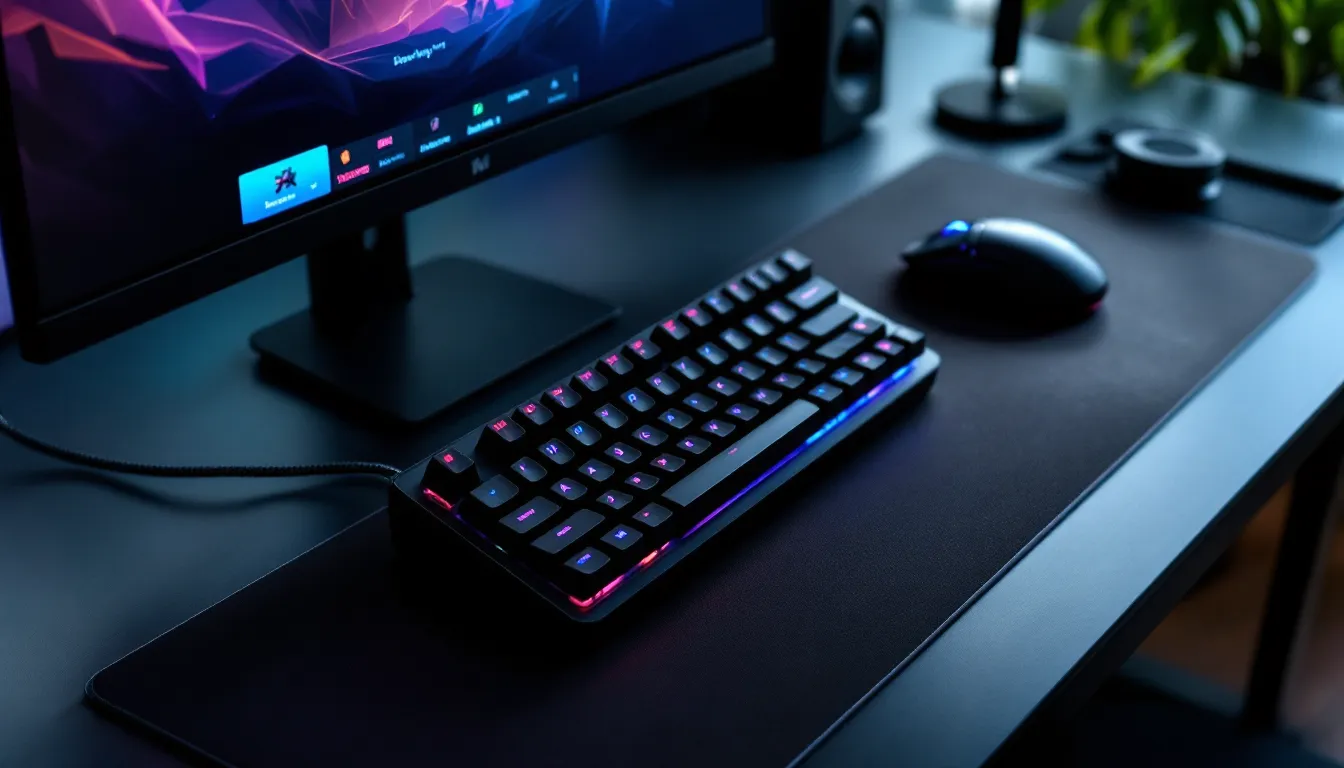
If you’ve ever watched a competitive MOBA or MMO player’s hands blur across their setup, you’ve probably noticed they’re not using a standard keyboard. Gaming keypads have carved out a serious niche in the peripheral market, offering a compact, specialized alternative to full-size keyboards. With ergonomic designs, programmable keys, and features tailored for specific game genres, these devices promise faster response times and better control. But are they worth the investment, and which one fits your playstyle? Whether you’re grinding ranked matches, navigating raid encounters, or just tired of your hand cramping during marathon sessions, understanding what makes a gaming keypad tick can give you a legitimate edge. This guide breaks down everything you need to know in 2026, from switch types and macro capabilities to the latest models pros are actually using.
Key Takeaways
- Gaming keypads offer ergonomic, purpose-built advantages for specific genres like MOBAs and MMOs, providing faster macro execution and reduced hand strain compared to traditional keyboards.
- Mechanical switches outperform membrane options in competitive gaming due to faster actuation and tactile feedback, though quality membrane keypads remain viable budget alternatives.
- Programmable keys and macro functionality are essential features to evaluate—prioritize robust software, reliable profile switching, and on-device memory for seamless performance across different games.
- Analog gaming keypads represent the latest evolution, enabling variable movement control and dual-stage actuation ideal for racing sims, stealth games, and controller-hybrid playstyles.
- The Razer Tartarus Pro, Azeron Cyborg, and Koolertron mechanical keypad lead the 2026 market, each excelling in different scenarios based on budget, ergonomic needs, and playstyle.
- Gaming keypads require proper setup—custom profiles per game, realistic macro delays, and correct hand positioning—to maximize their potential without introducing input errors or anti-cheat concerns.
What Is a Gaming Keypad and Why Do Gamers Use Them?
A gaming keypad is a compact input device designed specifically for gaming, typically featuring 15-35 programmable keys positioned for one-handed use. Unlike full keyboards, these devices focus exclusively on the keys you actually use during gameplay, usually the WASD cluster and surrounding binds, while eliminating the number pad, function row, and other office-oriented keys.
The core appeal is simple: efficiency and comfort. By condensing essential controls into a smaller footprint, keypads let you keep your hand in an optimal position without stretching or repositioning. Many models include integrated palm rests, adjustable angles, and thumb-operated inputs that would be impossible on a standard keyboard layout.
How Gaming Keypads Differ from Standard Keyboards
The differences go well beyond size. Standard keyboards are built for typing documents and general computing tasks, with a QWERTY layout that’s been unchanged since typewriters. Gaming keypads, by contrast, are purpose-built for speed and customization.
Key architectural differences:
- Optimized key placement: Keys are arranged in columns or grids that align with natural finger positions, not the staggered rows of traditional keyboards.
- All keys programmable: Every button can be remapped to any function, macro, or multi-key sequence.
- Dedicated macro keys: Most keypads include thumb-operated buttons or an entire row of macro keys separate from movement controls.
- Onboard memory: Profile storage lets you switch between game-specific configurations without software running.
- Integrated accessories: Some models include analog thumbsticks, scroll wheels, or touchpads for hybrid control schemes.
The ergonomic advantages are measurable. A keypad takes up roughly one-third the desk space of a full keyboard, leaving more room for wide mouse movements, critical for low-sensitivity FPS players. The compact design also allows for a more natural shoulder position, reducing strain during extended sessions.
The Competitive Advantages of Using a Gaming Keypad
Pros don’t use keypads just because they look cool on stream. There are tangible performance benefits, especially in genres that demand high APM (actions per minute) or complex ability rotations.
Macro execution speed: In MMOs like Final Fantasy XIV or World of Warcraft, binding entire ability combos to a single keypress can shave milliseconds off your rotation. That matters when you’re chasing parse percentiles or executing tight raid mechanics.
Reduced input latency: High-end keypads often feature polling rates of 1000Hz or higher, matching gaming mice. Combined with mechanical switches that actuate faster than membrane keys, your inputs register quicker.
Consistency under pressure: The smaller surface area means less room for mis-inputs. When your fingers never leave the home position, you won’t accidentally hit the Windows key mid-teamfight or fumble for the right skill bind.
Comfort during marathon sessions: RSI (repetitive strain injury) is no joke. Keypads with ergonomic designs and wrist support reduce the awkward angles that cause fatigue and long-term damage.
That said, keypads aren’t universally better. They shine in MOBAs, MMOs, and certain simulation games, but struggle in genres requiring extensive text chat or dozens of unique binds. We’ll dig into those trade-offs later.
Key Features to Look for in a Gaming Keypad
Shopping for a keypad gaming device can feel overwhelming with all the spec sheets and marketing jargon. Here’s what actually matters.
Mechanical vs. Membrane Switches: Which Is Right for You?
Switch type is the single most important decision you’ll make. It affects how the keypad feels, sounds, and responds.
Mechanical switches use physical mechanisms (usually a spring and metal contact) to register keypresses. They offer:
- Tactile feedback: You feel exactly when the key actuates.
- Faster actuation: Most mechanical switches register at 1.5-2mm, versus 3-4mm for membranes.
- Longer lifespan: Rated for 50-100 million keypresses, compared to 5-10 million for membranes.
- Customization: Hot-swappable models let you change switch types without soldering.
Popular mechanical options include Cherry MX Red (linear, quiet), Cherry MX Brown (tactile, moderate noise), and Razer’s proprietary optical switches, which use light beams for even lower latency.
Membrane switches use a rubber dome that completes a circuit when pressed. They’re:
- Quieter: No click or clack, just a soft thud.
- Cheaper: Membrane keypads start around $30-40, versus $60+ for mechanical.
- Mushier feel: Less precise feedback makes it harder to tell when you’ve registered an input.
For competitive play, mechanical is the clear winner. But if you’re on a budget or play late at night with thin walls, a quality membrane keypad can still perform well.
Programmable Keys and Macro Functionality
Every gaming keypad claims “fully programmable keys,” but implementation varies wildly.
What to check:
- Software quality: Does the configuration software crash? Is it bloated with unnecessary features? Check user reviews for stability reports.
- Macro complexity: Can you set delays between inputs, create conditional macros, or loop commands? Simple macros are table stakes, advanced scripting separates good software from great.
- Profile switching: How many profiles can you store? Can you auto-switch based on which game launches?
- On-the-fly adjustments: Some keypads let you record macros without opening software, using button combos.
The Razer Tartarus and Logitech G13 (now discontinued but still popular used) set the standard here, with robust macro engines and easy profile management. Cheaper models often force you to choose between limited macros or janky third-party software.
Ergonomics and Build Quality Considerations
A keypad that cramps your hand after 20 minutes is worthless, no matter how many features it has.
Ergonomic must-haves:
- Adjustable palm rest: Your hand size isn’t one-size-fits-all: neither should your keypad be.
- Angle adjustment: Some models tilt or include removable feet to change the key angle.
- Thumb cluster accessibility: Thumb buttons should be reachable without straining or shifting your grip.
- Key spacing: Too cramped and you’ll get mis-inputs: too spread out and you’ll overextend.
Build quality is equally critical. Plastic chassis flex under pressure, leading to inconsistent keypresses. Metal backplates or reinforced frames keep everything stable during intense moments. When evaluating technology reviews for gaming peripherals, pay attention to long-term durability reports, switches might be rated for millions of presses, but cheap solder joints fail much sooner.
RGB Lighting and Customization Options
Yes, RGB is mostly aesthetic. But it serves functional purposes too.
Practical RGB uses:
- Key identification: Color-coding movement keys separately from abilities helps muscle memory during the learning phase.
- Profile indicators: Different lighting patterns for different games or characters.
- Low-light visibility: Backlighting helps you find keys in dim setups without turning on overhead lights.
Customization depth varies:
- Per-key RGB: Individual LED control for maximum flexibility.
- Zone lighting: Groups of keys share colors (cheaper, less flexible).
- Effects: Reactive typing, breathing patterns, game integration (health bar color changes, etc.).
If RGB doesn’t matter to you, save money and buy a non-lit model. But if you’re building a themed setup or streaming, per-key RGB is worth the premium.
Types of Gaming Keypads and Their Best Use Cases
Not all keypads are created equal. Different designs excel in different genres.
One-Handed Gaming Keypads for MOBA and MMO Players
These are the classic keypad layout: a grid of keys (usually 15-25) arranged for your four fingers, plus a cluster of thumb buttons.
Design characteristics:
- Compact footprint: Typically 6-8 inches wide.
- Multiple thumb inputs: 4-8 buttons positioned for thumb access, often including a directional pad or analog stick.
- 20-30 total keys: Enough for ability rotations, inventory access, and communication without reaching for a keyboard.
Best for:
- MOBAs: League of Legends, Dota 2, Heroes of the Storm. Four abilities, items, and pings all within fingertip reach.
- MMOs: World of Warcraft, Final Fantasy XIV, Guild Wars 2. Macro your rotation, keep cooldowns on thumb keys, and never lose DPS to fumbled inputs.
- ARPGs: Path of Exile, Diablo IV. Flask management and skill spam benefit from programmable keys.
Popular models in this category include the Razer Tartarus V2 (membrane, 32 keys, 8-way thumbpad) and Razer Tartarus Pro (analog optical switches, adjustable actuation). Both offer excellent software support through Razer Synapse 3.
Analog Gaming Keypads for Enhanced Movement Control
This is the newest evolution in keypad design, and it’s a game-changer for certain genres.
Analog keypads use hall effect sensors or optical switches that measure how far you press each key, not just whether it’s pressed. Think of it like an analog stick’s gradual input range, but for individual keys.
Advantages:
- Variable movement speed: In racing games or flight sims, you can accelerate gradually instead of toggling between 0% and 100%.
- Dual-stage actuation: Set one action at 50% press depth, another at full press.
- Granular control: Lean mechanics in tactical shooters, walking speed in stealth games.
The Razer Tartarus Pro pioneered this tech in the keypad space, with each key offering 0-4mm of analog range. The Wooting Two HE (technically a 60% keyboard but functions as a keypad) pushed it further with per-key actuation point customization.
Best for:
- Racing/flight sims: Microsoft Flight Simulator, Forza Horizon.
- Stealth games: Hitman, Splinter Cell, anything requiring precise movement control.
- Platformers: Analog movement in Celeste or Hollow Knight can feel more natural than binary WASD.
The downside? Analog keypads command a premium, expect to pay $130-180. And the learning curve is real: you’ll need hours to retrain muscle memory.
Hybrid Keypads with Integrated Thumbsticks
Some keypads blur the line between controller and keyboard, integrating full analog thumbsticks alongside traditional keys.
Examples:
- Azeron Cyborg/Keypad: A sculptural design with a central thumbstick, 29 programmable keys, and a palm-mounted base. Looks like sci-fi cosplay, performs like a precision instrument.
- GameSir VX2 AimSwitch: Combines a mini keypad with a full analog stick and gaming mouse, designed for cross-platform play (PC, Xbox, PS, Switch).
These hybrids excel in games that traditionally use controllers but benefit from mouse aim:
- Third-person shooters: Warframe, Remnant II.
- Action RPGs: Elden Ring, Monster Hunter: World.
- Battle royales: Fortnite, Apex Legends (especially for building/movement on stick while aiming with mouse).
The Azeron lineup has a cult following among Apex players for its ability to bunny-hop and wall-bounce while maintaining perfect aim. According to data from pro player gear setups, a growing number of hybrid FPS/BR players are experimenting with keypad-mouse-thumbstick combos.
Fair warning: The Azeron’s ergonomic design is polarizing. Some users swear it eliminated their wrist pain: others find the angled keys uncomfortable. There’s no substitute for trying one if possible.
Top Gaming Keypads in 2026: What the Pros Are Using
The keypad market has consolidated around a few dominant players. Here’s what’s actually worth buying in 2026.
Razer Tartarus Pro ($129.99)
Still the gold standard for analog keypads. 32 programmable keys with adjustable actuation (1.5-3.6mm), 8-way thumbpad, and Chroma RGB. Razer Synapse software is mature and stable. The scroll wheel feels gimmicky but works well for weapon switching in shooters.
Best for: MMO players wanting analog control, anyone invested in the Razer ecosystem.
Razer Tartarus V2 ($79.99)
The budget-friendly sibling. Mecha-membrane switches (tactile but not mechanical), same 32-key layout, same software. If you don’t need analog functionality, this is the smarter buy.
Best for: MOBA players, MMO players on a budget.
Azeron Cyborg Compact ($159-189, depending on configuration)
The ergonomic champion. 29 programmable keys, analog thumbstick, modular design with swappable palm towers. Built in Lithuania with a 2-3 week lead time. Steep learning curve but unmatched once you adapt.
Best for: FPS/BR players seeking controller-like movement with mouse aim, anyone with wrist/hand pain.
Koolertron Single-Handed Mechanical Keyboard ($69.99)
The budget dark horse. 43 programmable keys (more than Razer), genuine Cherry MX switches, solid build quality. Software is clunky and the design is utilitarian, but performance matches devices twice the price.
Best for: Value hunters, MMO players needing maximum key count.
Redragon K585 DITI ($44.99)
Membrane switches, 42 keys, basic RGB, mediocre software. But at this price, it’s a risk-free entry point for players curious about keypads.
Best for: First-time buyers, casual gamers.
What about the Logitech G13?
Discontinued in 2018, but used models still float around eBay for $100-200. The built-in LCD screen and robust macro system have a loyal fanbase. If you can snag one under $80, it’s worth it, but don’t overpay for nostalgia.
Pro usage data from competitive circuits shows Razer dominating the MMO scene (especially WoW arena players), while Azeron has carved out a niche in movement-heavy shooters. Traditional esports titles (CS2, Valorant, League) still overwhelmingly use full keyboards or 60% boards, keypads remain a specialized tool, not a universal upgrade.
Setting Up and Configuring Your Gaming Keypad for Maximum Performance
Buying the hardware is the easy part. Configuring it properly takes patience and iteration.
Software and Driver Installation
Most gaming keypads require proprietary software for full functionality. Installation is usually straightforward, but watch for these gotchas:
Driver conflicts: If you’re running multiple peripheral brands (Razer keypad, Logitech mouse, Corsair headset), their software can clash. Razer Synapse and Logitech G Hub are notorious for this. Install one at a time and test for stability.
Firmware updates: Always update firmware before configuring. Manufacturers often fix input lag, add features, or improve macro reliability in updates.
Offline functionality: Does your keypad store profiles in onboard memory, or does it require software running to function? Models with onboard storage (most mid-tier and up) work even if the software crashes or you switch PCs.
Permission requirements: Some software needs admin rights to remap system-level keys or inject macros into games. This can trigger anti-cheat warnings. Razer and Corsair software is generally whitelisted, but obscure brands might not be.
Creating Custom Profiles for Different Games
Don’t use a single profile for everything. Game-specific configs save time and prevent errors.
Profile strategy:
-
Base profile: Movement keys (WASD or equivalent), essential binds (reload, crouch, jump), and frequently used functions. This is your fallback for games without custom profiles.
-
Game-specific profiles: Unique layouts for each title. Dota 2 needs item slots and courier controls: WoW needs 20+ ability binds: Photoshop (yes, some people use keypads for editing) needs tool shortcuts.
-
Auto-switching: Configure the software to detect game executables and switch profiles automatically. Works reliably in Razer Synapse and Corsair iCUE: hit-or-miss in cheaper software.
Example League of Legends profile:
- Main keys: QWER (abilities), DF (summoners), 1-6 (items)
- Thumb buttons: Camera snap (space), ping wheel (thumb pad directions), ward placement macro
- Macro key: Quick combo (QWER in sequence with 20ms delays)
Test in practice mode before taking a new profile into ranked. You will fat-finger something: better to discover it against bots.
Optimizing Key Bindings and Macros
Macros are powerful but easy to misuse. Here’s how to build effective ones:
Macro best practices:
- Keep them simple: Multi-second combos with conditional logic sound cool but break easily. Stick to 2-4 input sequences.
- Add realistic delays: Instant macros can trigger anti-cheat or fail because animations haven’t completed. Use 15-50ms delays between inputs.
- Test against lag: A macro that works perfectly at 20ms ping might desync at 80ms. Build in buffer time.
- Avoid competitive bans: Most esports leagues prohibit macros that automate decision-making. One-button combo rotations in WoW Mythic+ are fine: auto-recoil scripts in Valorant will get you banned.
Keybinding philosophy:
Group functions logically. Movement on main keys, offensive abilities on easy-to-reach fingers (index/middle), defensive cooldowns on harder-to-reach keys (ring/pinky) so you don’t panic-blow them. Consumables and non-combat functions go on thumb keys.
Many gaming peripheral guides recommend the “home position” approach: fingers should rest naturally on primary keys without stretching. If you’re constantly reaching for a bind, move it closer or reassign it to a thumb key.
Iteration is key. Your first config will suck. Play 10-20 hours, note what feels awkward, adjust, repeat. Even pros tweak their setups regularly as metas shift or new mechanics are introduced.
Gaming Keypads vs. Full-Size Keyboards: Which Should You Choose?
This isn’t a simple either/or. The right choice depends on what you play and how you play it.
When keypads excel:
- MOBA/MMO focus: You use 15-30 keys maximum, mostly with your left hand. A keypad gives you those keys in an optimized layout without the wasted space.
- Desk space is tight: Small desks can’t accommodate a full keyboard and a wide mousepad. A keypad solves this.
- Ergonomic needs: Existing wrist or shoulder pain that benefits from a more neutral arm position.
- You play with a controller hybrid: Some players use a keypad for abilities/menus and a controller for movement. Weird, but effective in certain games.
When full keyboards win:
- FPS/tactical shooters: Games like CS2, Valorant, or Tarkov use dozens of unique binds (utilities, comms, lean, stance, inventory). Keypads don’t have enough keys.
- Genre variety: If you rotate between MMOs, shooters, strategy games, and productivity, switching devices is annoying. A good 60% or TKL keyboard does it all.
- Text communication: Typing in chat, shot-calling on Discord, or naming characters requires a full alphanumeric layout. Some keypads include a keyboard mode, but it’s clunky.
- Budget constraints: A solid mechanical keyboard costs $70-120. A keypad of similar quality is $80-130, and you’ll probably still need a keyboard for non-gaming tasks.
The hybrid approach:
Many serious MMO/MOBA players keep both: a keypad for gaming, a compact (60% or 75%) keyboard for typing and secondary tasks. This setup costs more upfront but offers maximum flexibility.
Reality check: Browse any competitive League, Dota, or WoW tournament stream, and you’ll see 80% of players on full-size or TKL keyboards. Keypads are a niche preference, not a competitive necessity. They can provide an edge, but skill and game knowledge matter infinitely more than your peripheral choice.
Don’t buy a keypad expecting it to boost your rank. Buy it because the ergonomics, layout, or features solve a specific problem you’re experiencing.
Common Mistakes to Avoid When Using a Gaming Keypad
New keypad users tend to make the same errors. Here’s how to skip the learning pain.
Overcomplicating macros: Just because you can bind a 15-step combo to one key doesn’t mean you should. Complex macros break when game balance patches change ability timings, or when lag throws off your script. Keep macros simple and situational.
Ignoring the learning curve: Expect 10-20 hours of potato-tier performance while your muscle memory rebuilds. Don’t debut a new keypad in ranked or progression content. Use normals, practice modes, or solo play.
Poor hand positioning: If your wrist is bent at a sharp angle or your fingers are cramping, adjust the palm rest or keypad angle. Ergonomics aren’t one-size-fits-all: what works for a streamer might wreck your hand.
Not utilizing profiles: Running a default profile across all games wastes the keypad’s potential. Take 15 minutes per game to build a custom layout. Future you will thank present you.
Forgetting onboard memory: If your keypad supports profile storage, use it. Software crashes, Windows updates break drivers, or you might need to use a different PC. Onboard profiles ensure your setup works anywhere.
Neglecting firmware updates: Manufacturers fix bugs and add features post-launch. Check for updates quarterly, especially if you experience input lag or connectivity issues.
Buying based on aesthetics alone: RGB and sci-fi designs are cool, but terrible ergonomics or mushy switches will ruin your experience. Prioritize comfort and performance over looks.
Skipping the return window test: Most retailers offer 14-30 day returns. Use that time to seriously evaluate whether the keypad improves your experience. If it’s gathering dust after week one, return it.
Maintaining and Caring for Your Gaming Keypad
Keypads aren’t high-maintenance, but a little care extends their lifespan.
Cleaning:
- Weekly dusting: Use compressed air to blow out debris between keys. Crumbs, skin cells, and pet hair accumulate fast.
- Monthly deep clean: Remove keycaps (if possible) and wipe down with isopropyl alcohol (70% or higher). Let it dry completely before reassembly.
- Spill protocol: If you spill liquid, unplug immediately, flip upside down, and let it drain. Don’t power it on for 48 hours minimum. Sticky residue requires disassembly and alcohol cleaning.
Switch care:
- Mechanical switches are mostly self-maintaining, but lubricating them every 1-2 years reduces scratchiness and noise. Use dielectric grease, not WD-40.
- Membrane switches degrade over time. If keys start feeling mushy or require harder presses, replacement is usually more cost-effective than repair.
Cable management:
- Braided cables are durable but can fray at the connector. Use a cable sleeve or strain relief clip.
- If your keypad supports wireless, keep firmware updated to maintain battery life and connection stability.
Storage:
- Don’t stack heavy objects on your keypad. Pressure can warp the chassis or damage switches.
- If storing long-term, keep it in a dry environment. Humidity corrodes solder joints and PCBs.
Warranty awareness:
Most gaming keypads come with 1-2 year warranties. Register your product and keep the receipt. Common warranty-covered issues include switch failure, USB connector problems, and RGB LED burnout. Warranties usually don’t cover physical damage, liquid spills, or macro-related bans (obviously).
Razer and Logitech have solid RMA processes. Smaller brands can be hit-or-miss, factor that into your purchase decision.
Conclusion
Gaming keypads aren’t for everyone, and that’s fine. They shine brightest in specific scenarios: MOBA players chasing milliseconds off their combo execution, MMO raiders optimizing rotations, or anyone dealing with ergonomic issues from traditional keyboard layouts. The best keypad won’t magically improve your mechanics, but it can remove friction, reduce strain, and give you more granular control in the right games.
In 2026, the market offers solid options across price ranges, from budget-friendly mecha-membrane models to premium analog keypads with customization that borders on overkill. The Razer Tartarus line remains the safe bet for most users, while the Azeron Cyborg appeals to players willing to climb a steep learning curve for ergonomic payoff.
If you’re on the fence, start with a mid-tier model like the Tartarus V2 or Koolertron mechanical keypad. Test it thoroughly during the return window. Pay attention to how your hand feels after long sessions, whether your performance actually improves, and if you’re naturally reaching for the keypad or forcing yourself to use it. The right peripheral feels invisible: you stop thinking about the hardware and focus purely on the game.
And remember: no amount of gear compensates for poor positioning, game sense, or practice. A keypad is a tool, not a shortcut.